The JSON Schema App provides two ways to configure Product schema markup for Wix Stores. You can either use the automatic setup through the Setup Wizard or manually configure the schema for specific products from the dashboard.
1. Automatic Configuration Using the Setup Wizard
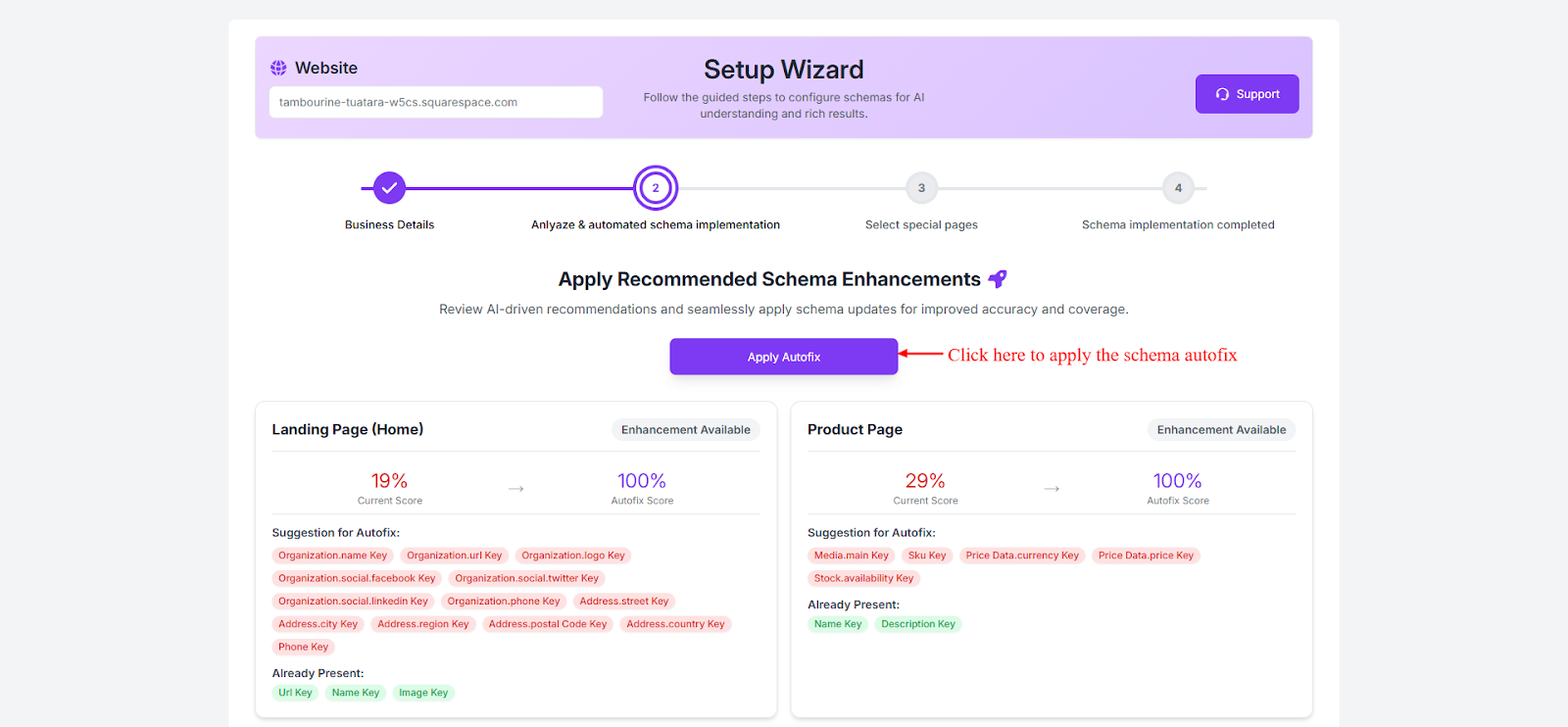
The easiest way to configure product schema is through the Setup Wizard during the initial app setup.
Steps:
- Install and open the JSON Schema App from your Wix Dashboard.
- Launch the Setup Wizard.
- The wizard automatically detects Wix Stores product pages.
- Product schema markup is automatically generated and applied to all product pages.
This method is recommended for most users because it quickly enables schema without requiring manual configuration.
2. Configure Product Schema for Specific Products
If you want to customize schema markup for specific products, you can do it manually from the app dashboard.
Steps:
- Open the JSON Schema App from your Wix Dashboard.
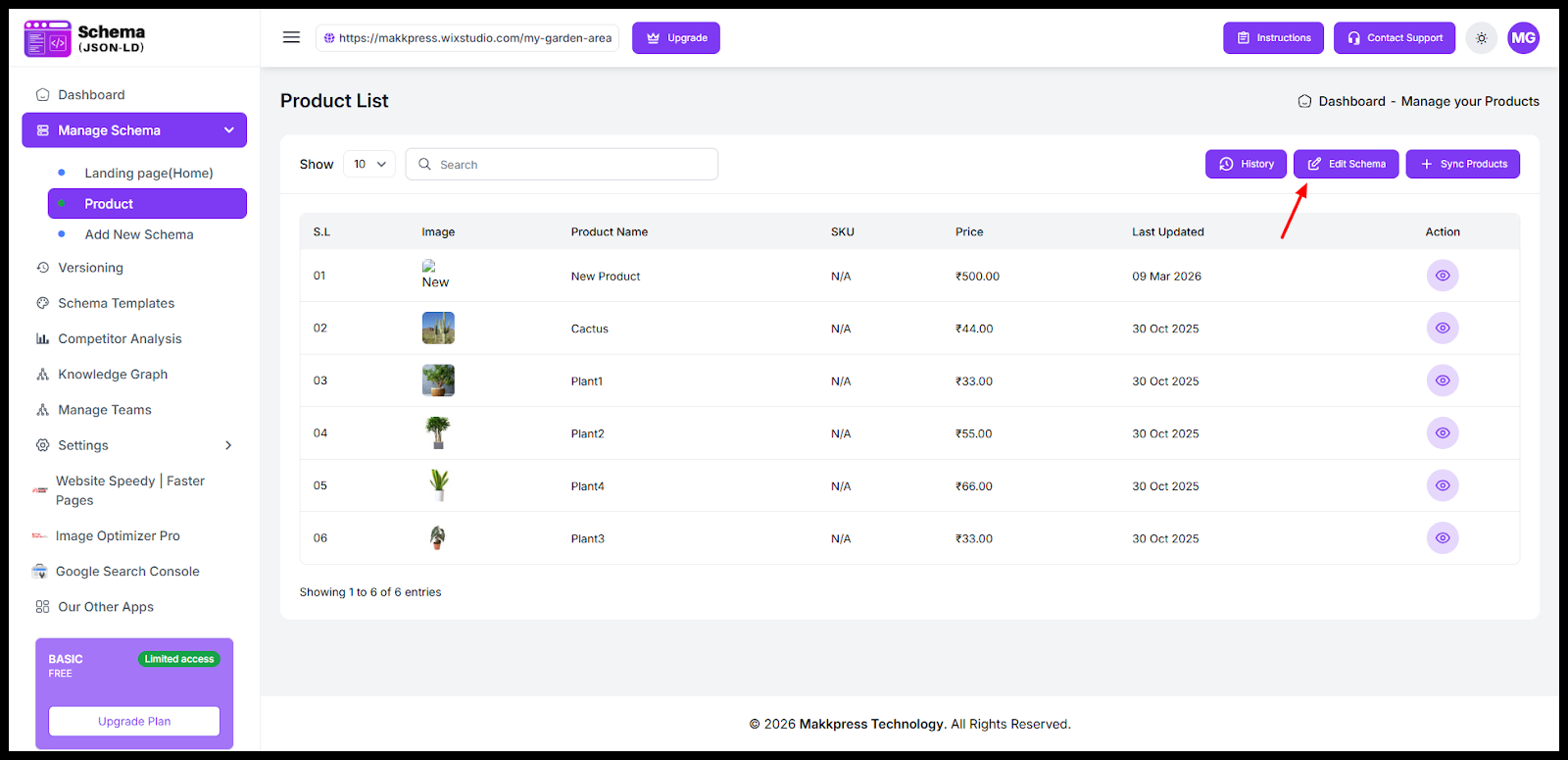
- Go to Dashboard → Manage Schema.
- Select Products from the dropdown menu.
- Find the product you want to configure.
- Click Edit Schema.
From here, you can modify schema properties such as:
- Product name
- Description
- Price
- Brand
- Availability
- SKU
- Ratings and reviews (if available)
After editing, save the changes to apply the updated schema markup.
Found this helpful?
( 14 out of 39 found helpful )
