To set up the JSON Schema App on your Duda website, follow these steps:
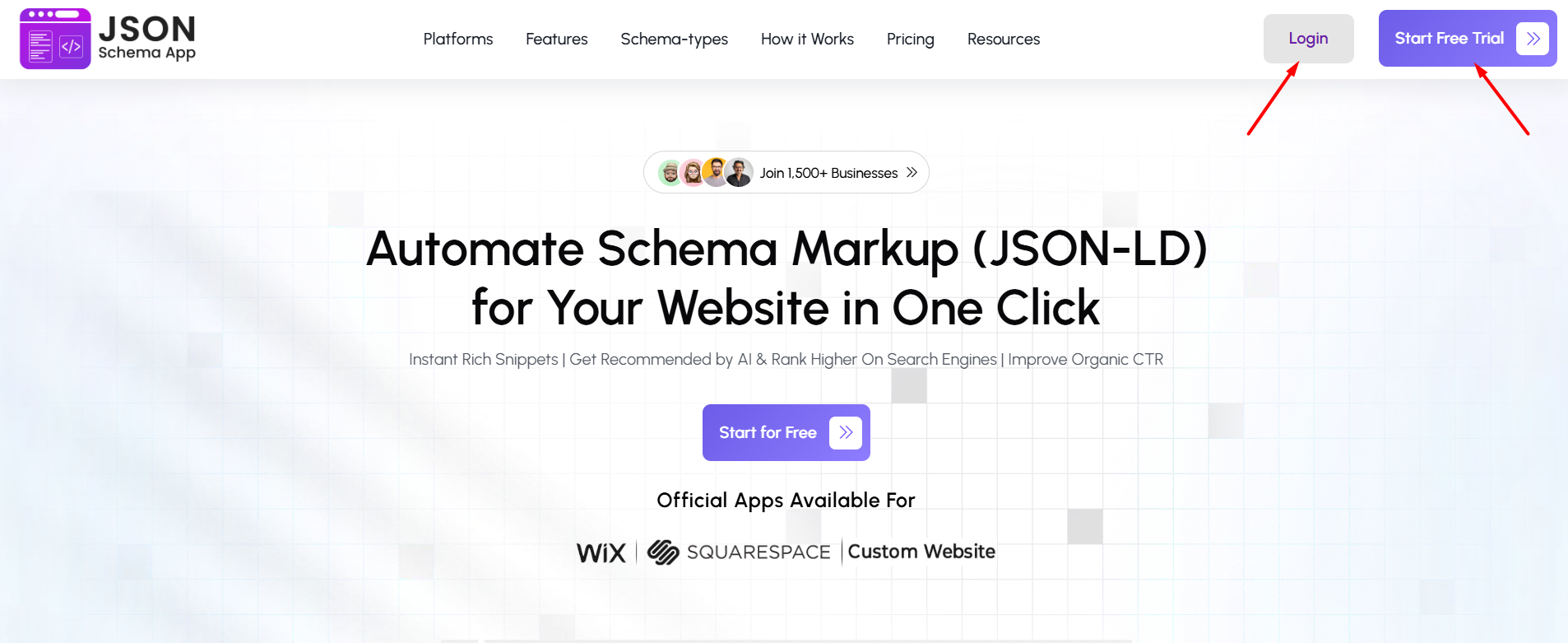
Step 1: Visit the JSON Schema App website and log in to your account. If you don’t have an account, click “Start Free Trial” to create one and begin.
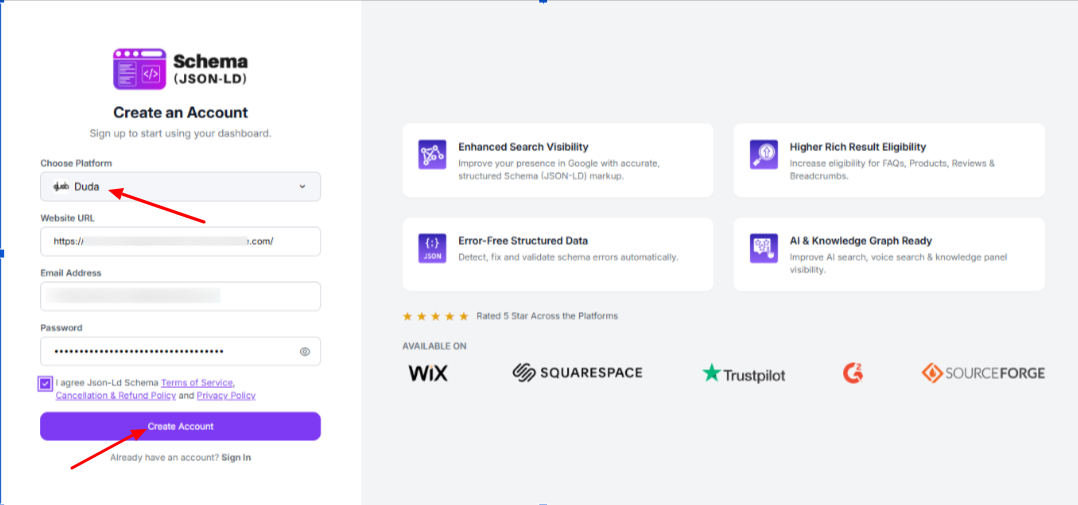
Step 2: Select Duda as your platform, enter your website URL, email address, and create a password. Accept the terms and click “Create Account” to continue.
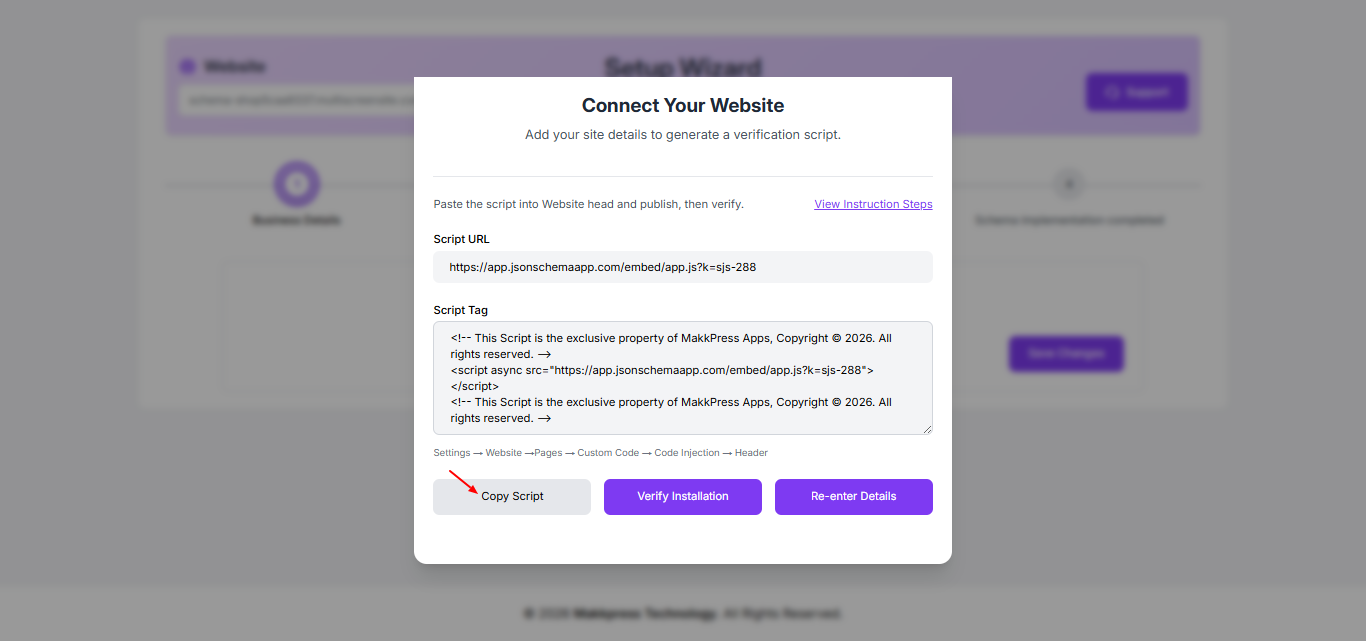
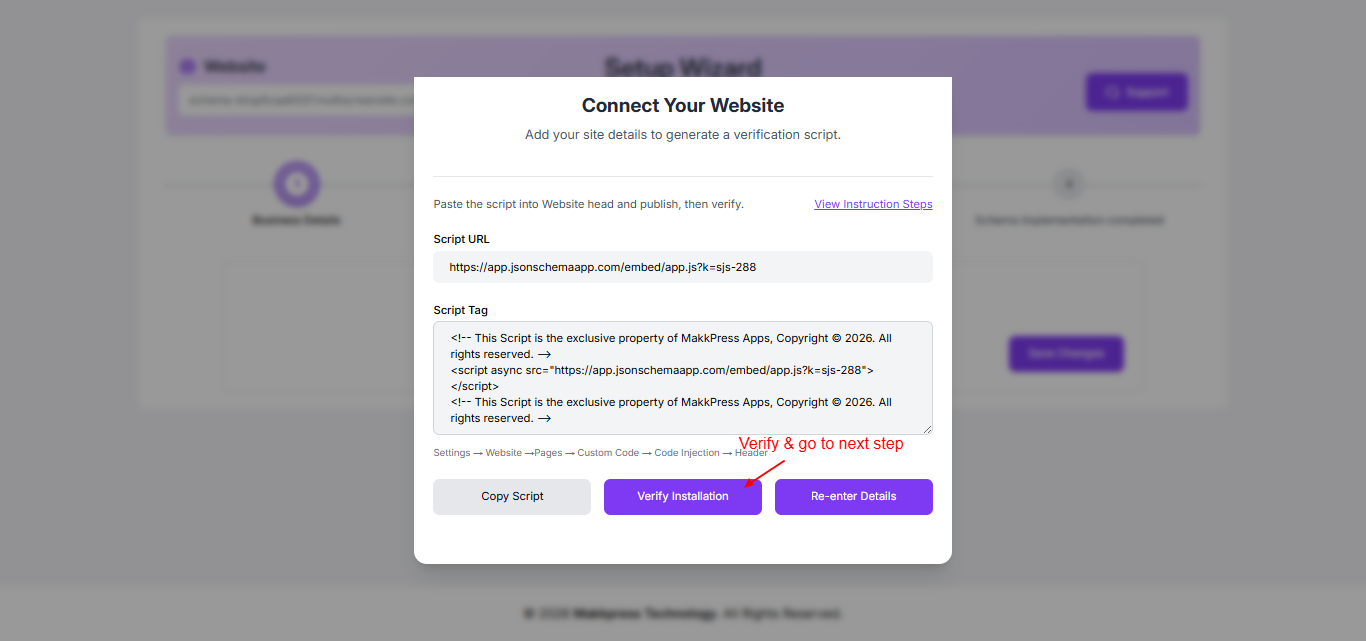
Step 3: In the Setup Wizard, copy the generated script tag by clicking “Copy Script.” This script will be added to your Duda website.
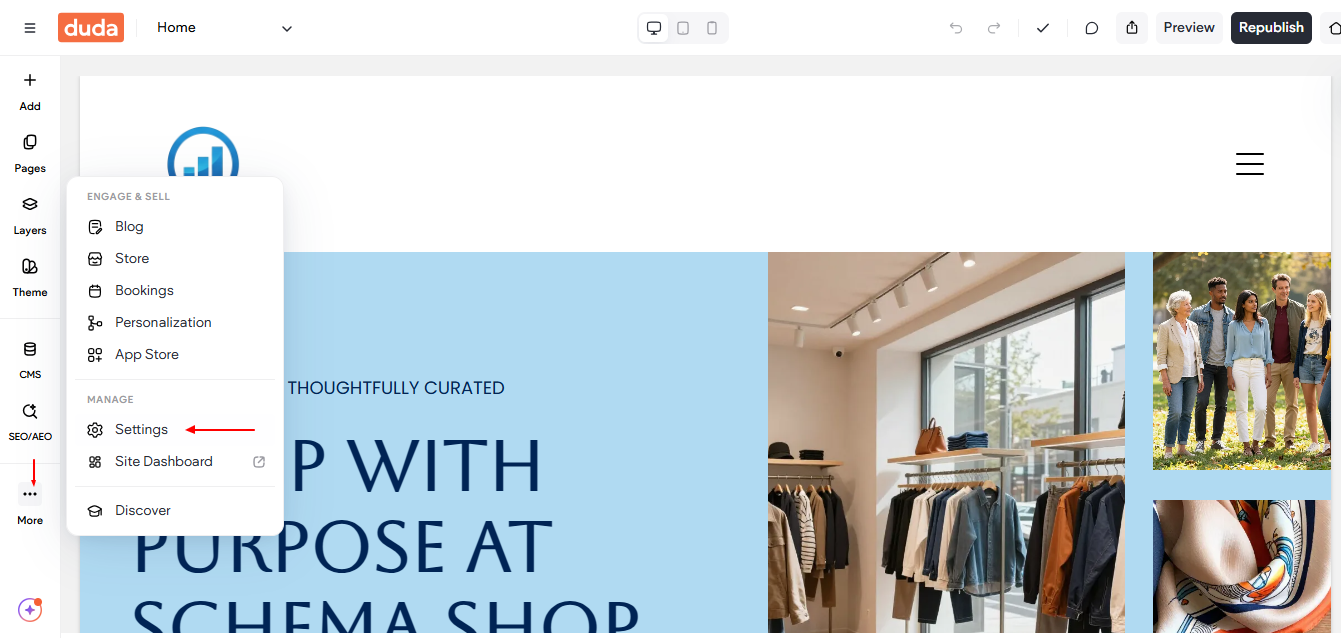
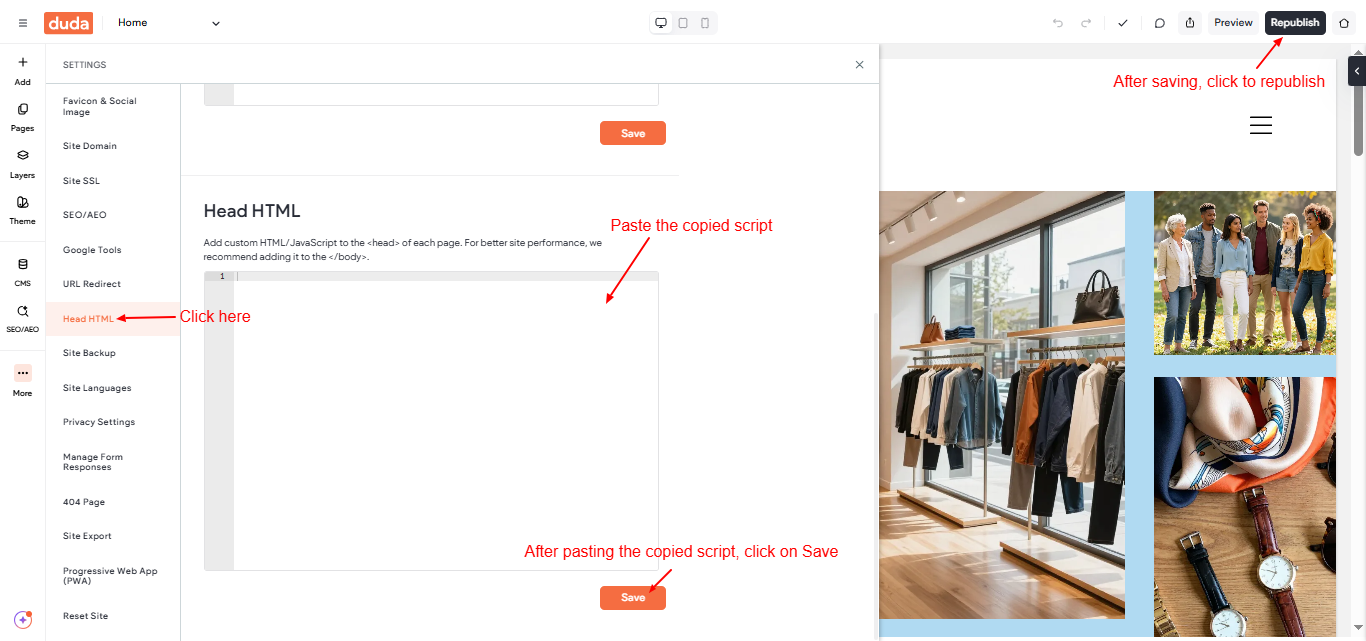
Step 4: Log in to your Duda dashboard, go to More → Settings to add new code.
Step 5: Paste the copied script into the Head HTML section, and click Save. After saving, click the Republish button to apply the changes live on your website.
Step 6: Return to the JSON Schema App and click “Verify Installation” to confirm that the script has been successfully added to your Duda website.
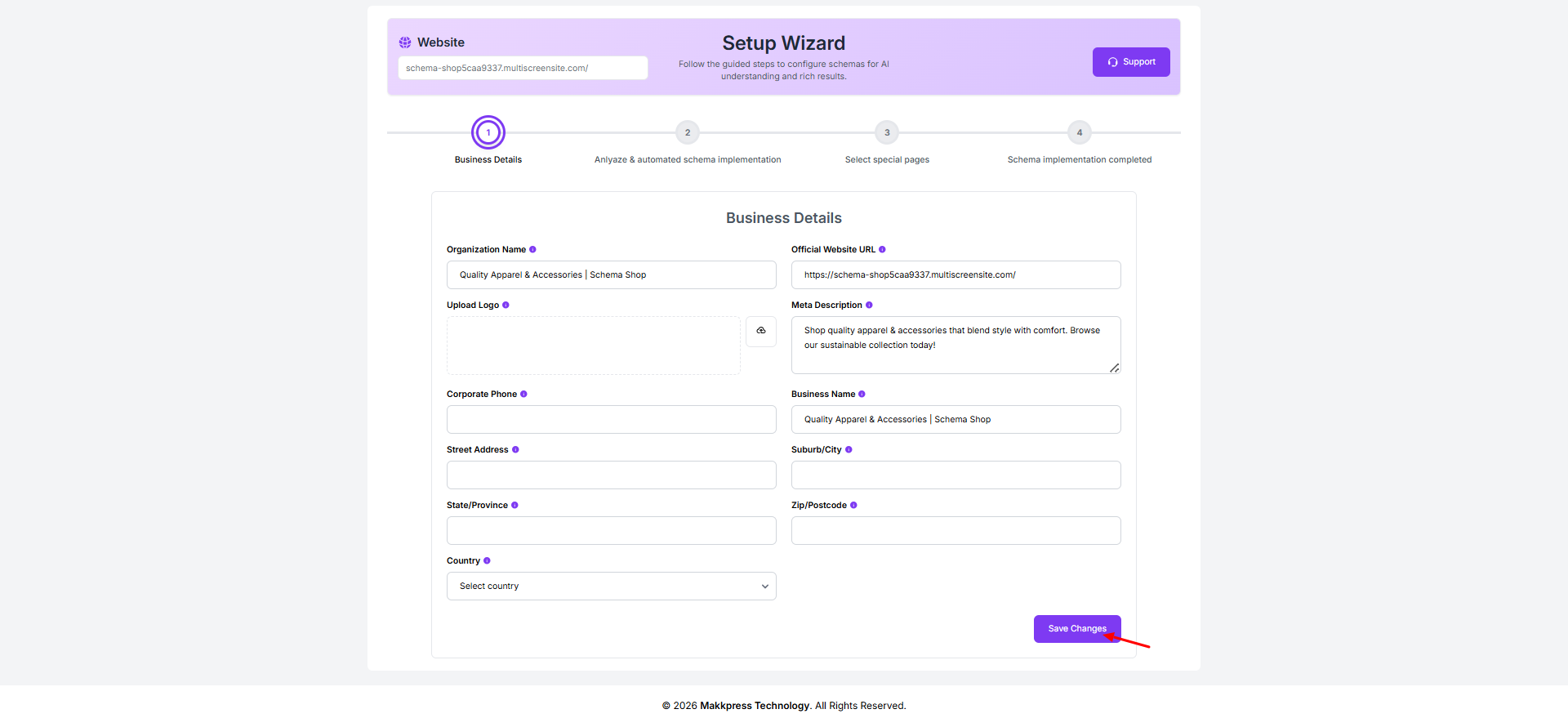
Step 7: Enter your business details such as organization name, website URL, logo, description, contact information, and address. Then click “Save Changes” to proceed.
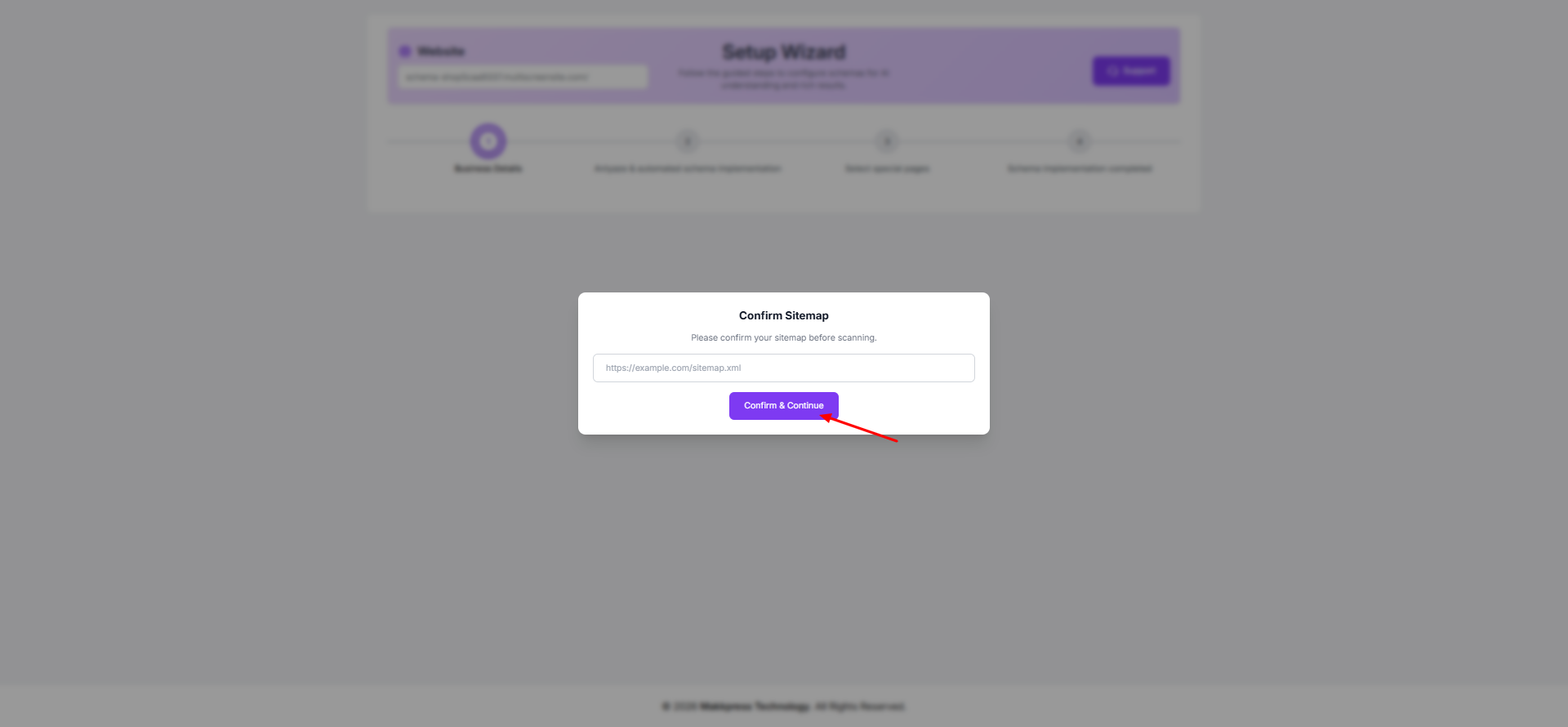
Step 8: Confirm your website sitemap URL and click “Confirm & Continue” to allow the tool to scan your Duda website.
Step 9: The tool will start a deep scan of your website to identify pages and detect applicable schema types automatically.
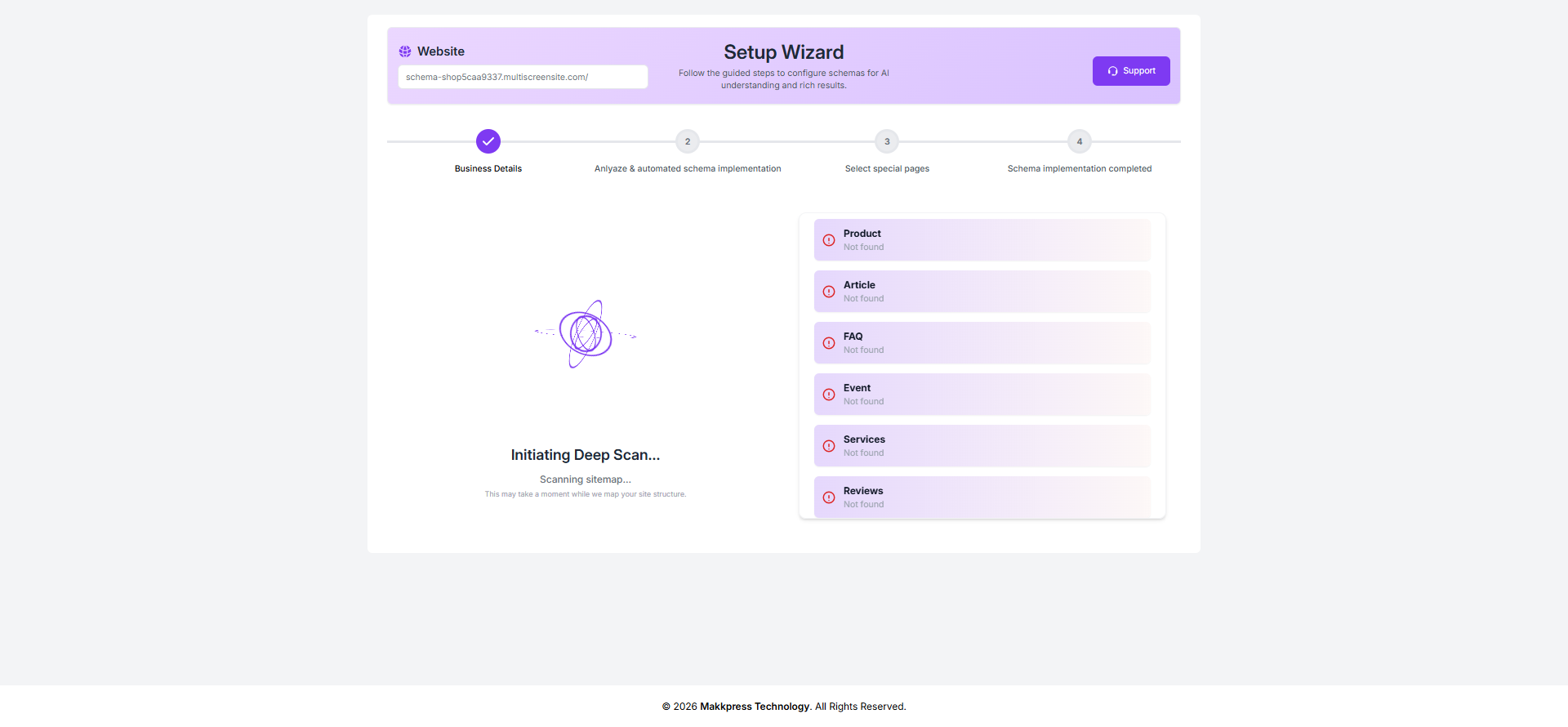
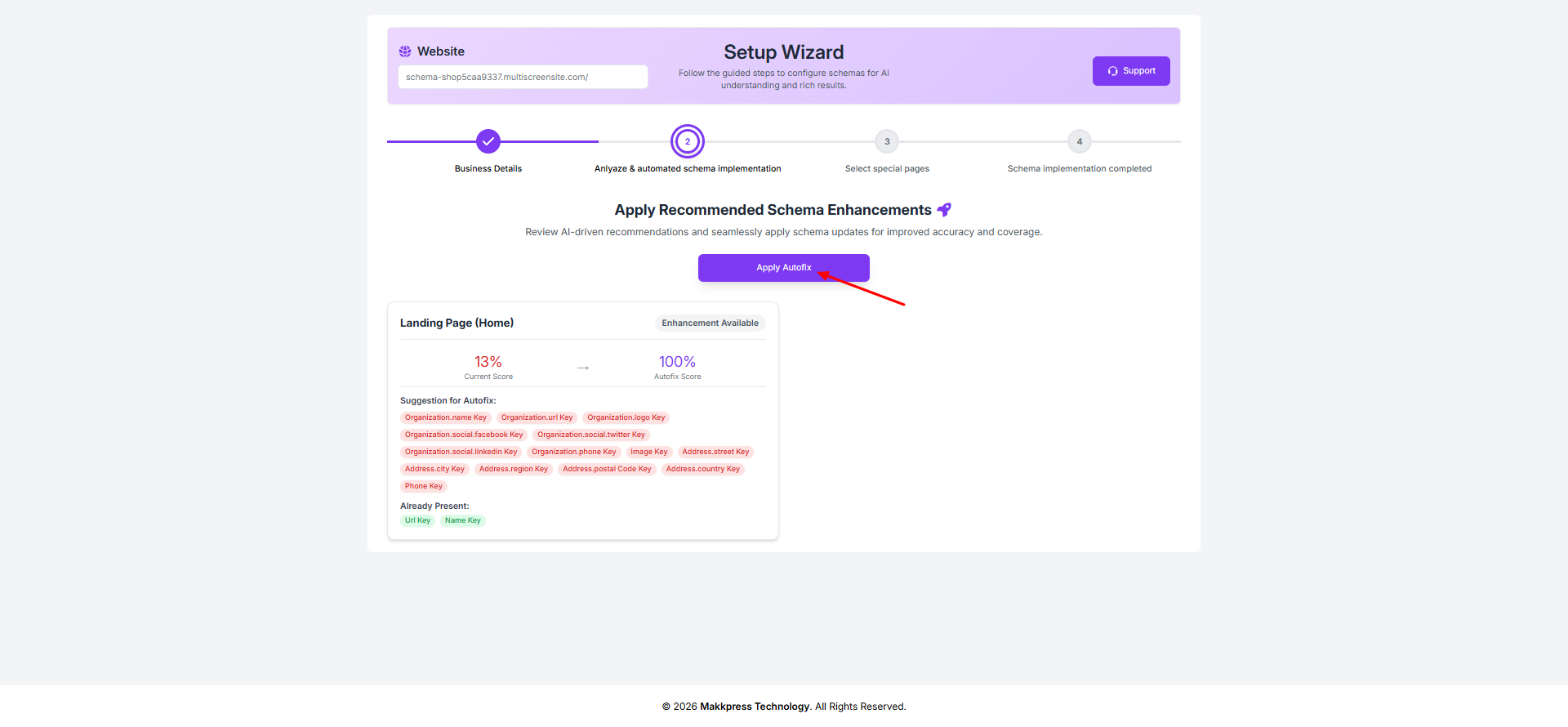
Step 10: Review the suggested schema improvements and click “Apply Autofix” to automatically implement the recommended updates.
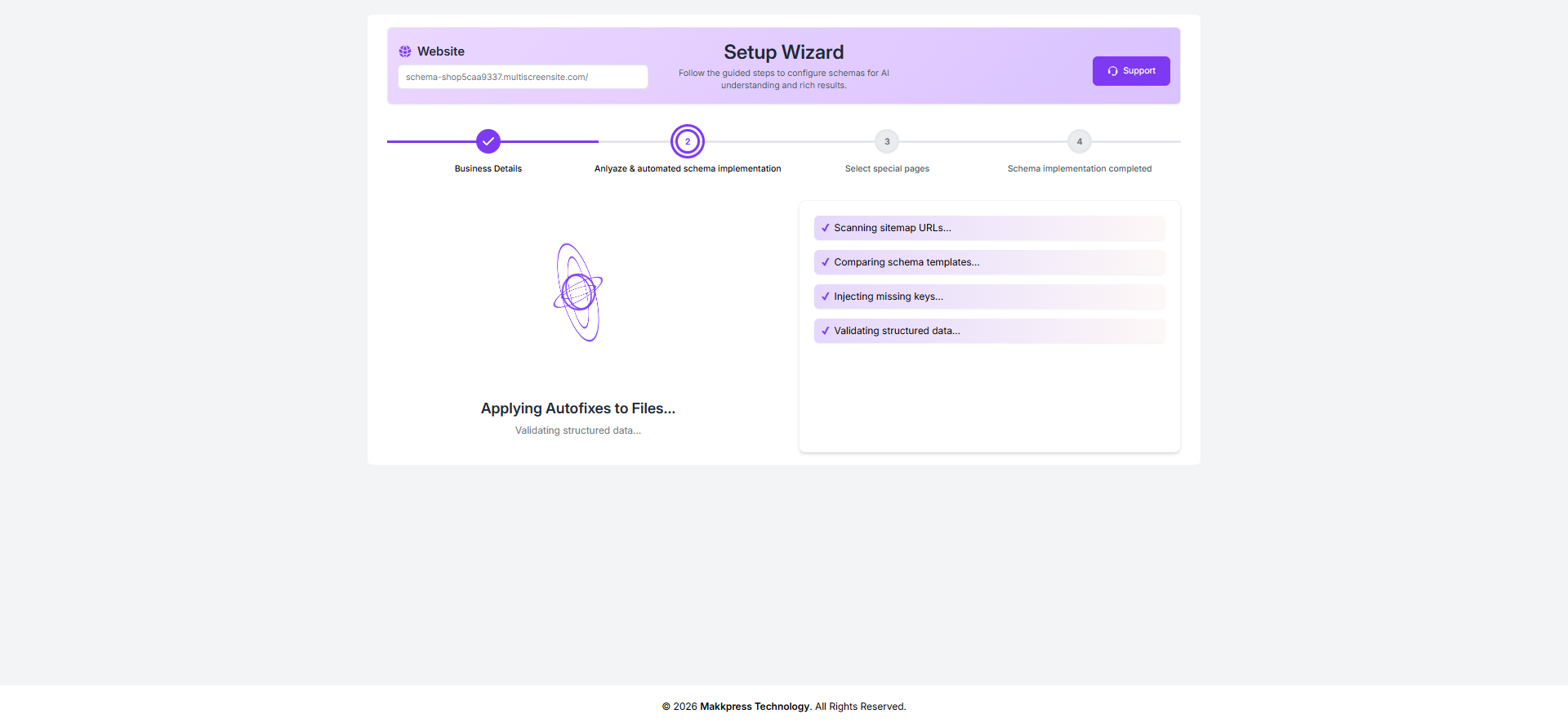
Step 11: The app will now apply autofixes and validate your structured data to ensure everything is correctly implemented across your website.
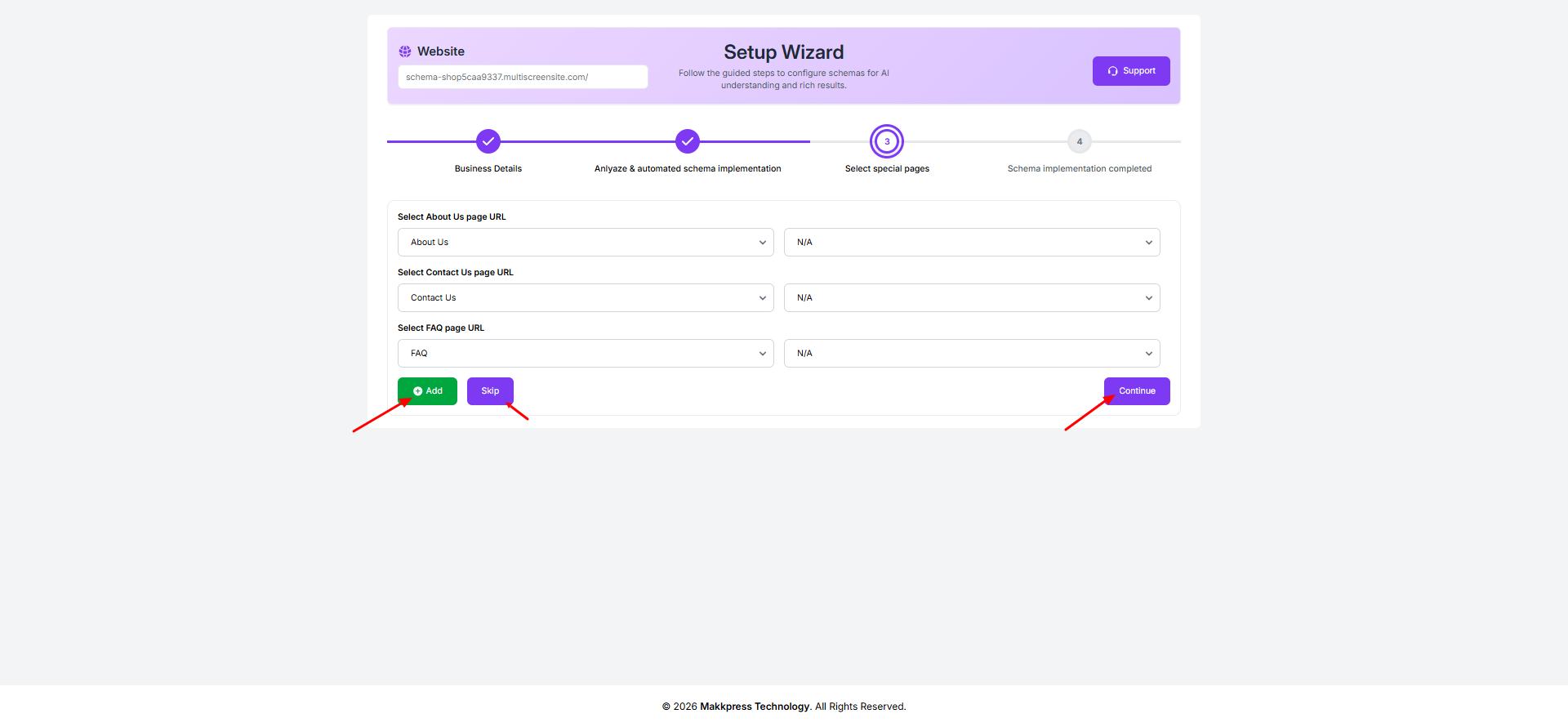
Step 12: Select important pages like About Us, Contact Us, and FAQ from the dropdown options. You can add more pages or skip optional ones, then click “Continue” to proceed.
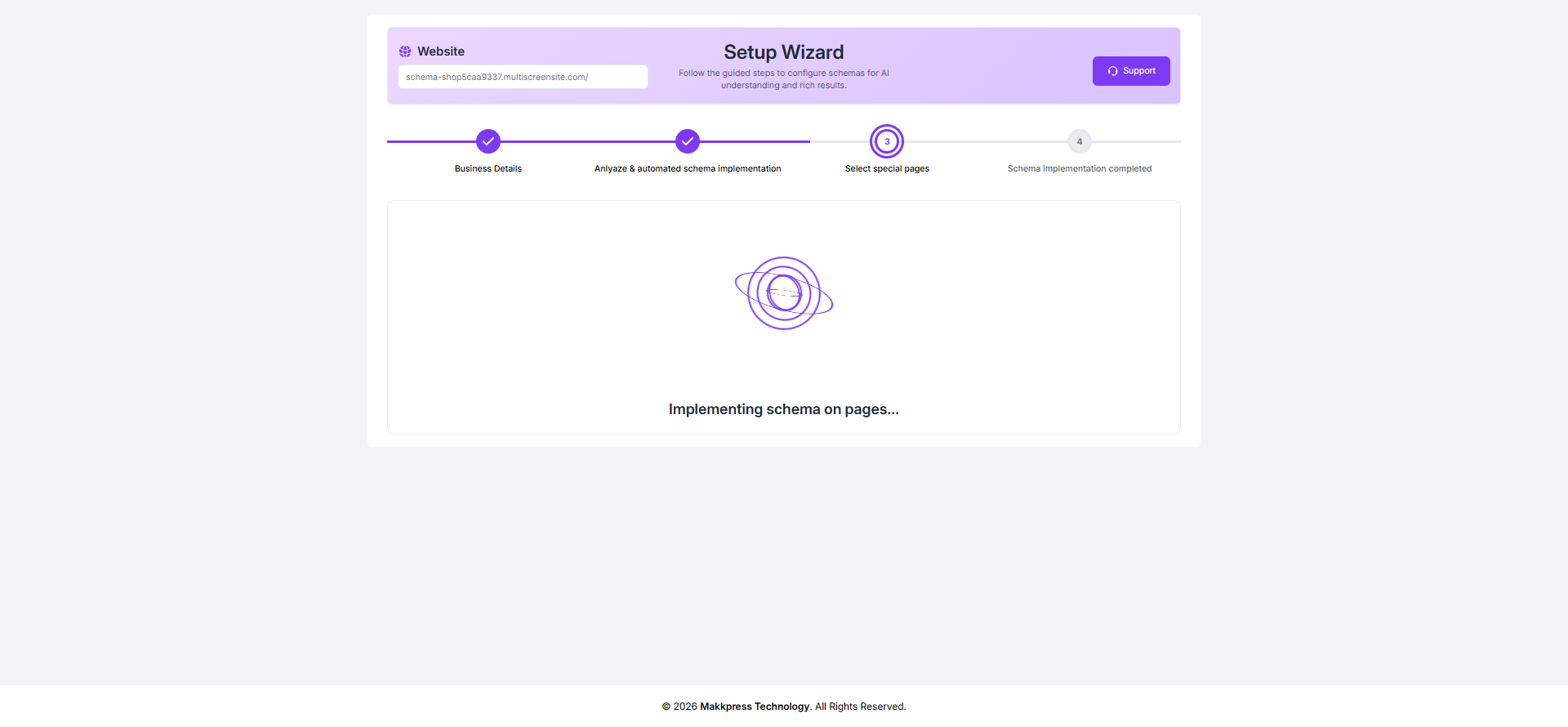
Step 13: The tool will now implement schema across your website pages automatically.
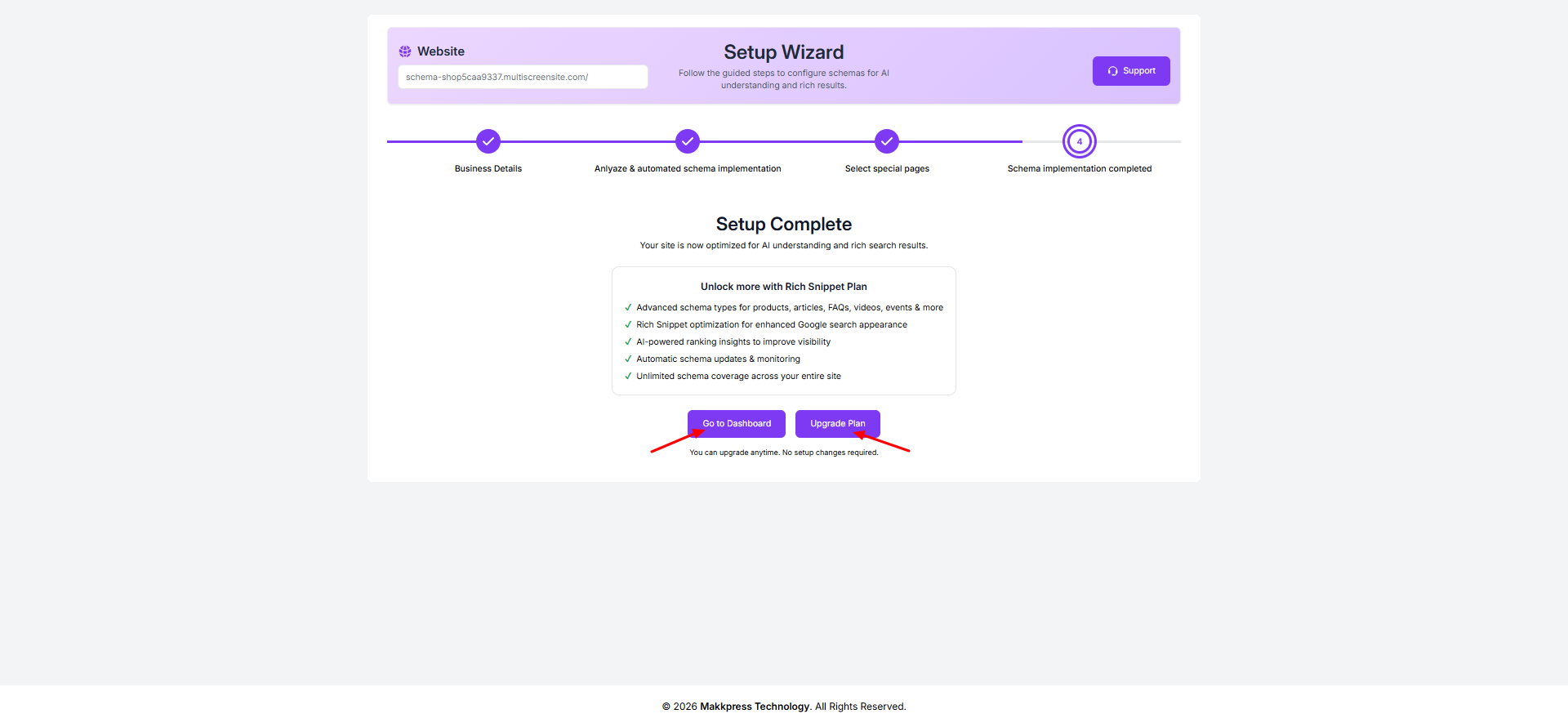
Step 14: Your setup is now complete. Click “Go to Dashboard” to manage your schema settings or choose “Upgrade Plan” to access additional features.
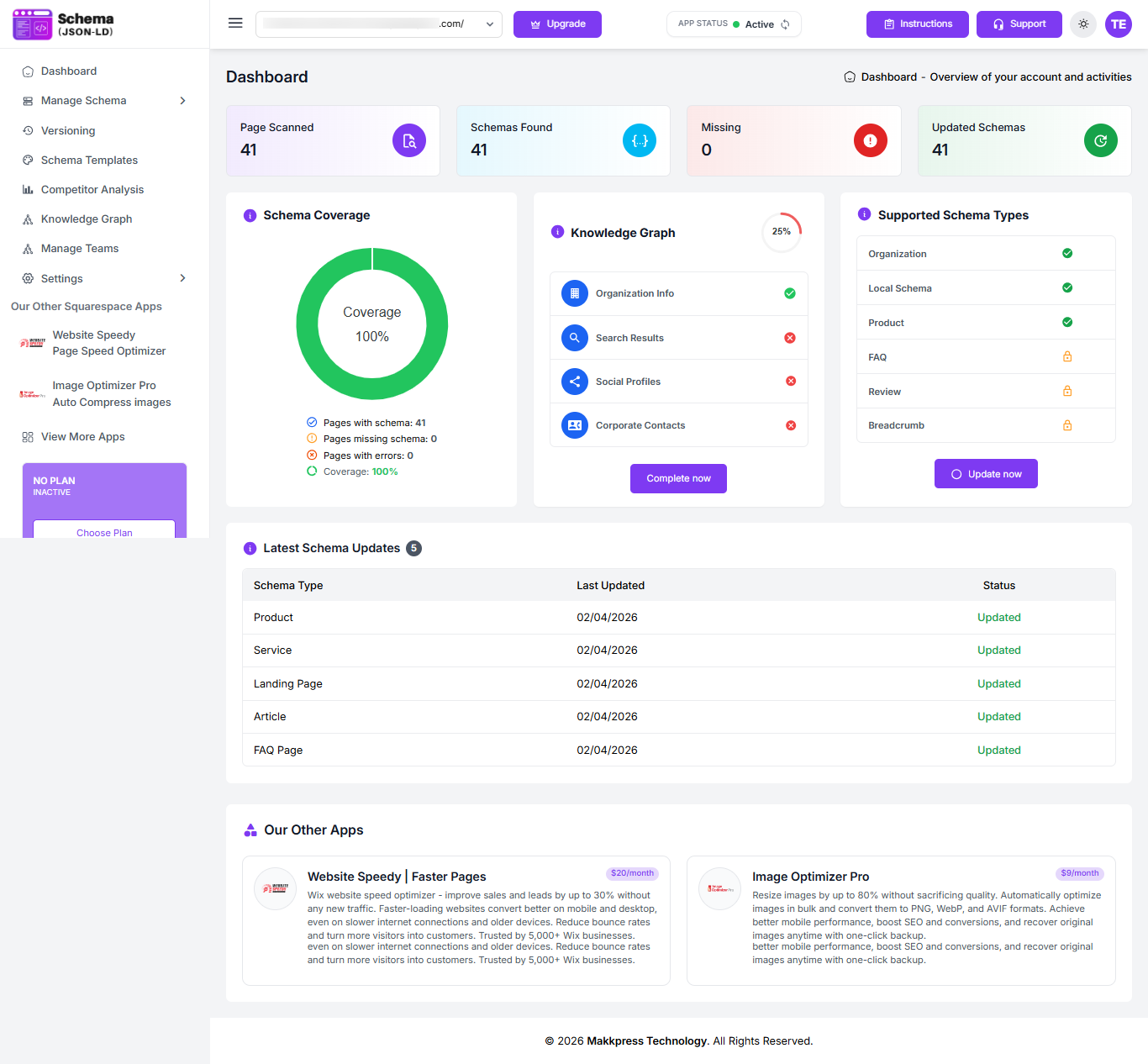
Step 15: After setup, you’ll be redirected to the dashboard where you can monitor schema coverage, track performance, and manage your structured data anytime.
Found this helpful?
( 11 out of 26 found helpful )
