- Open JSON Schema App → Manage Schema.
- Select Product from the dropdown.
- Choose a product and click Edit Schema.
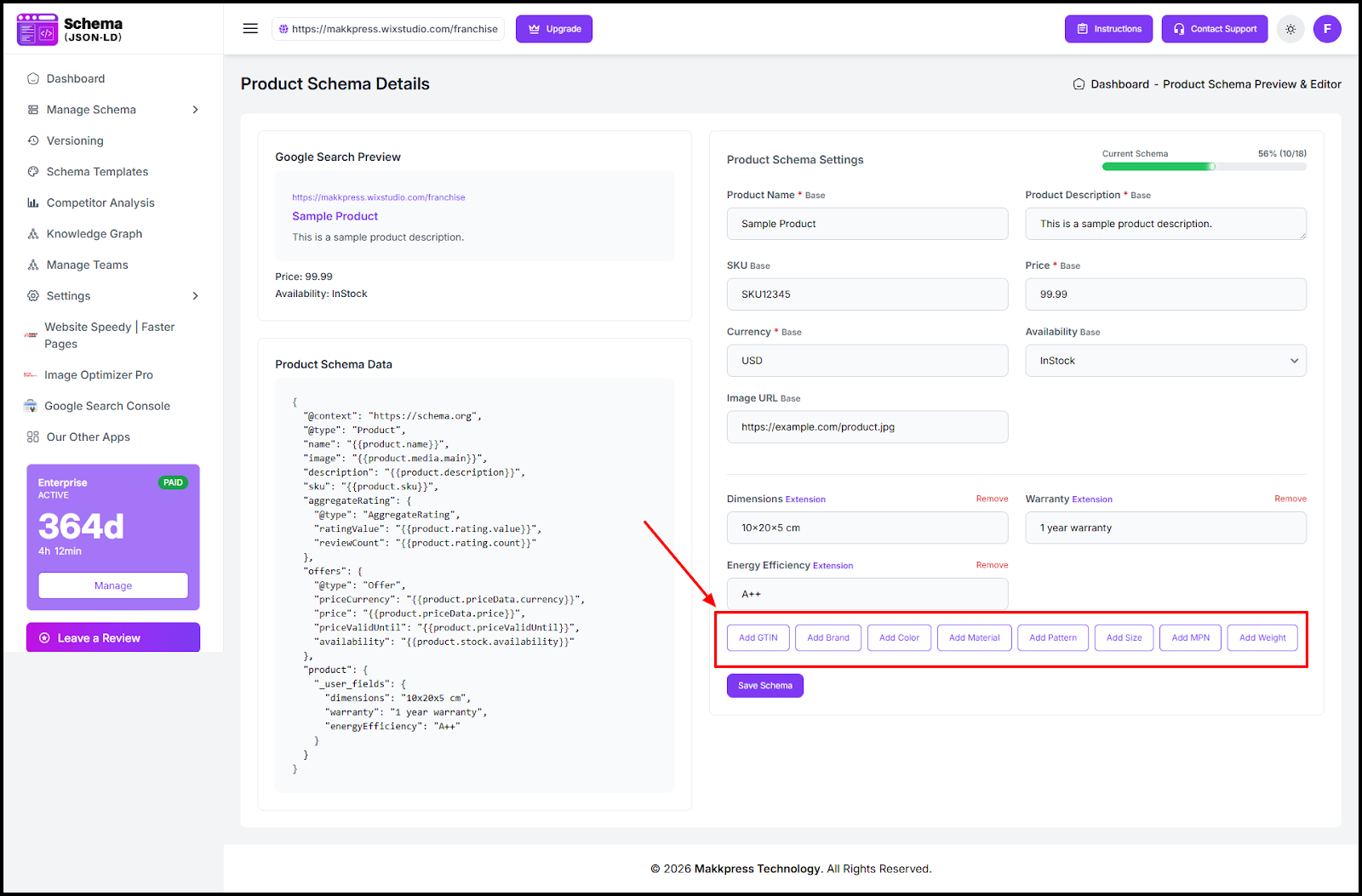
- Click Add Field (e.g., GTIN, Brand, Color, Material, Size, MPN, Weight).
- Enter the field values and review the schema preview.
- Click Save Schema to apply the changes.
Found this helpful?
( 14 out of 26 found helpful )
