To install the JSON Schema App directly from our website on your BigCommerce store, follow these steps:
Step 1: Go to the JSON Schema App website and log in to your account. If you do not have an account, click Start Free Trial and create one.

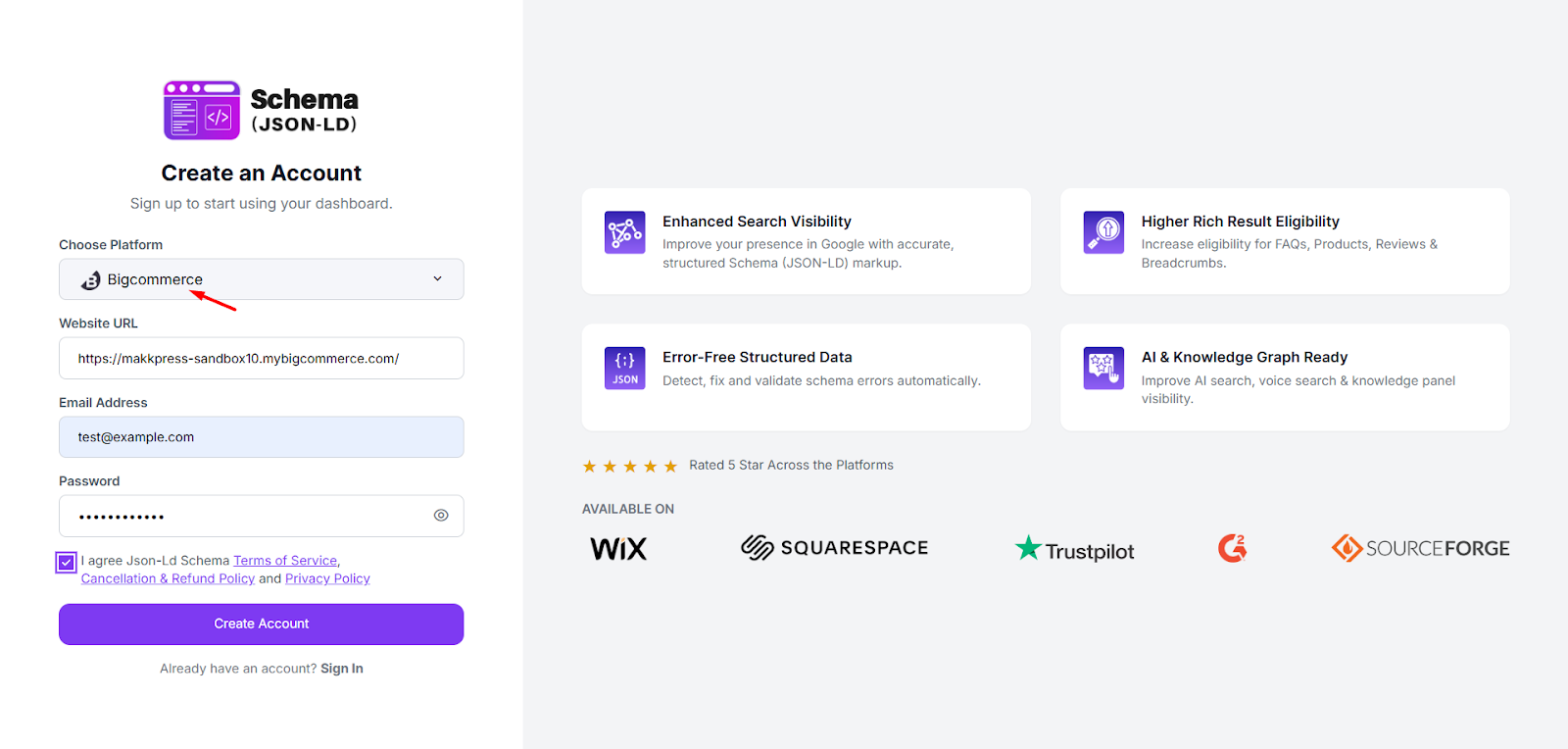
Step 2: Select BigCommerce as your platform, enter your website URL, email address, and create a password. Accept the terms and click “Create Account” to continue.
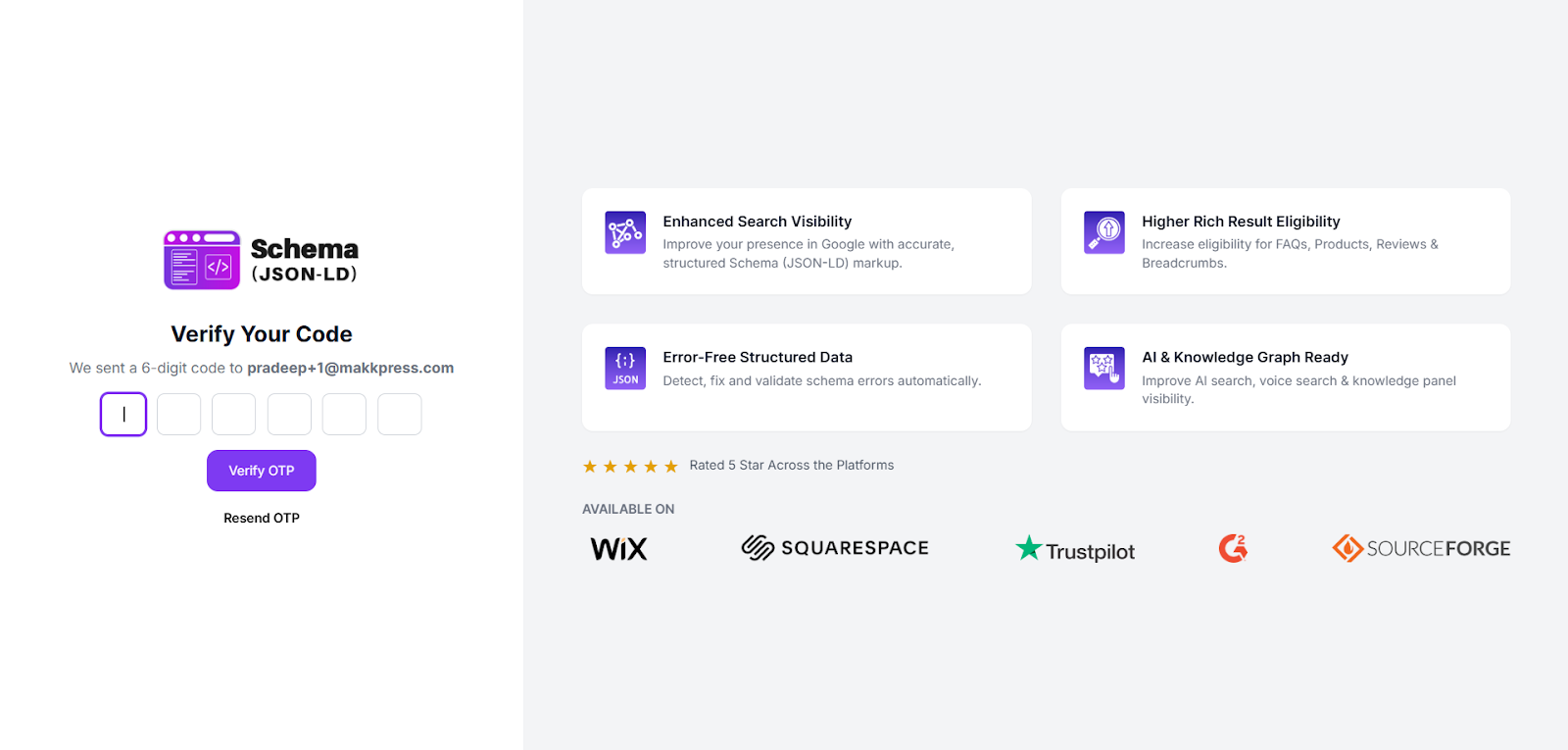
Step 3: Enter the 6-digit verification code (OTP) sent to your email address and click “Verify OTP” to confirm your account and continue.
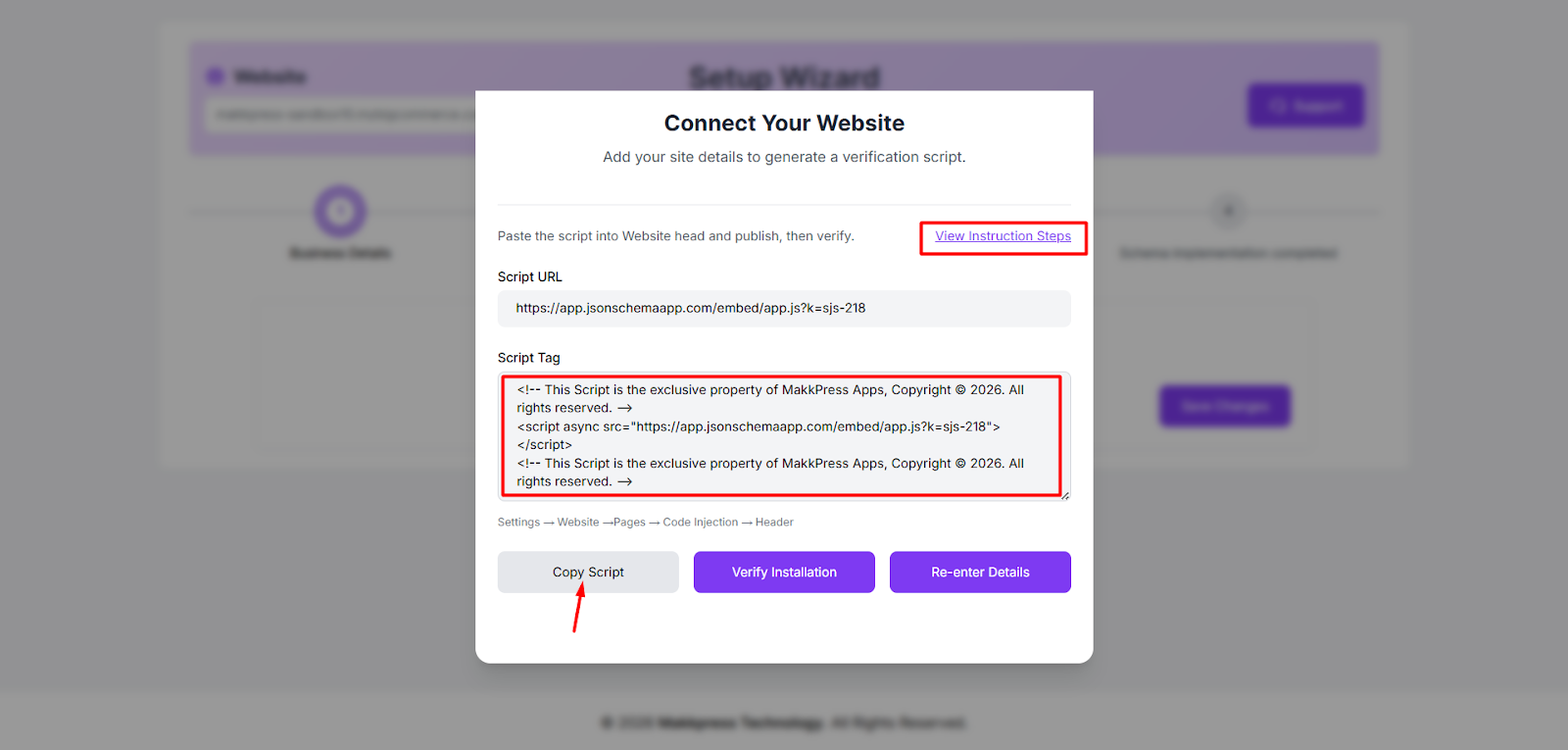
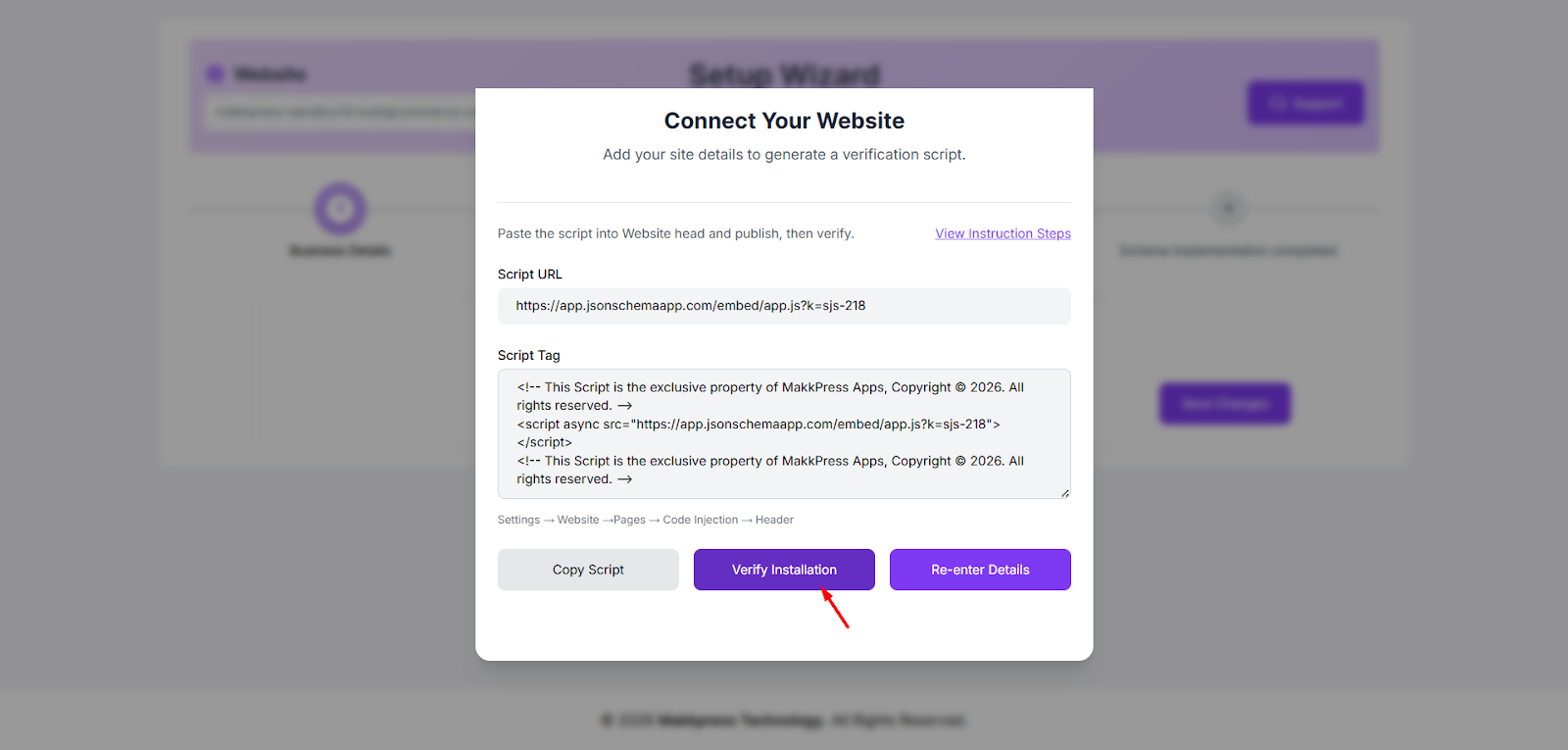
Step 4: In the Setup Wizard, copy the generated script tag by clicking “Copy Script.” This script will be added to your BigCommerce store to enable the JSON Schema App .
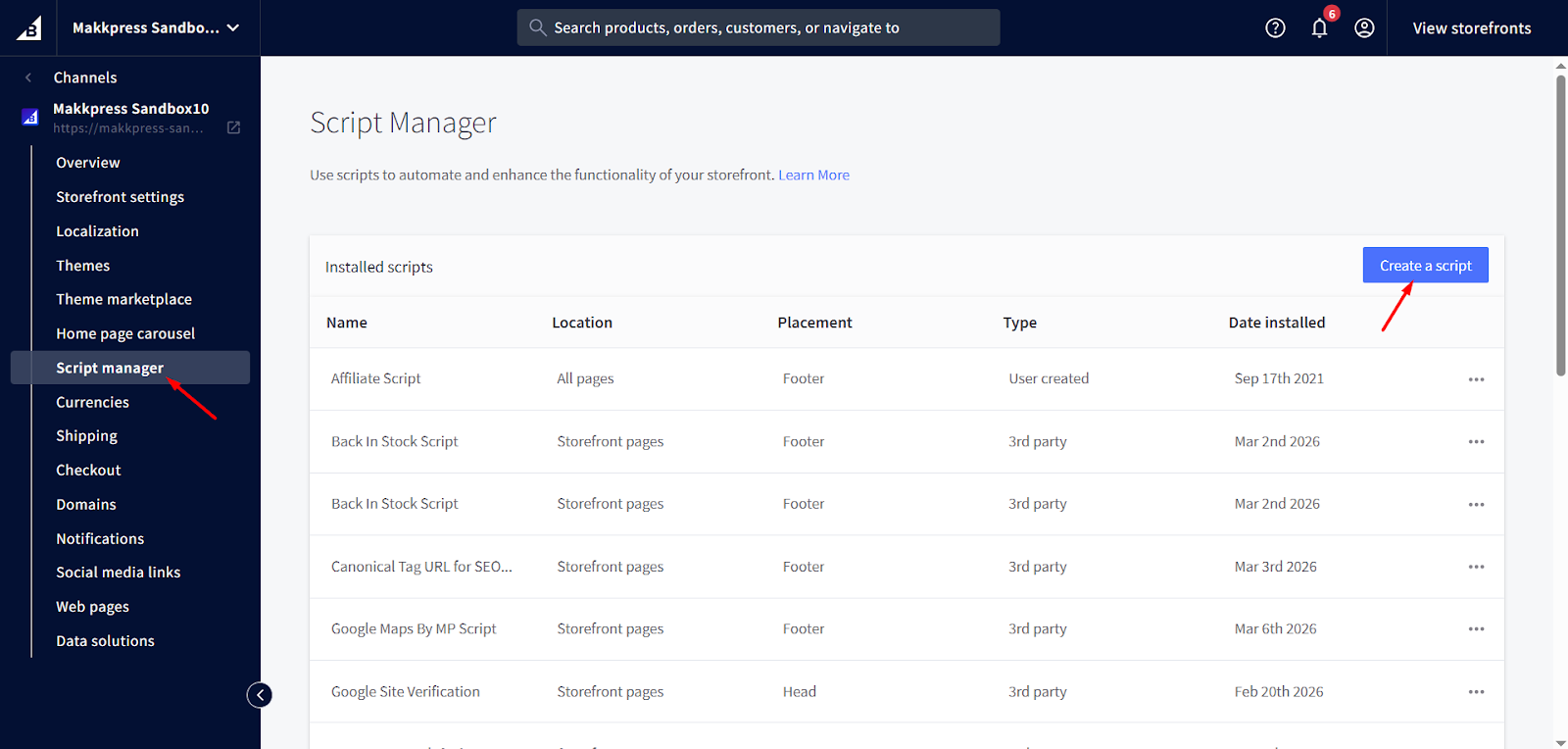
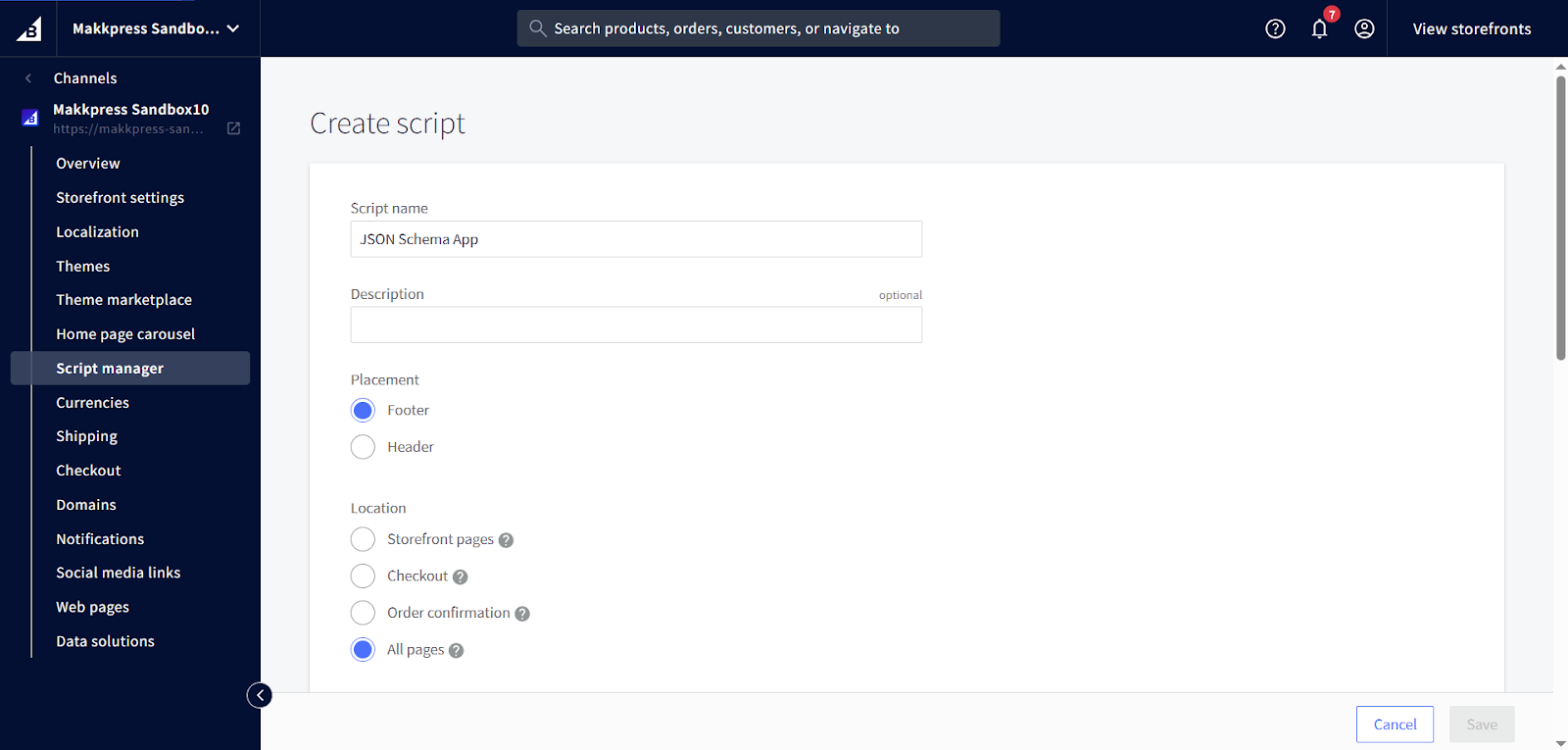
Step 5: Log in to your BigCommerce Admin Dashboard, go to Storefront Settings → Script Manager, and click “Create a Script.”
Step 6: Enter a Script Name, select Header, choose All Pages, set the category to Essential, select Script, paste the copied code, and click Save.
Step 7: Return to the JSON Schema App dashboard and click “Verify Installation” to confirm the script is installed correctly.
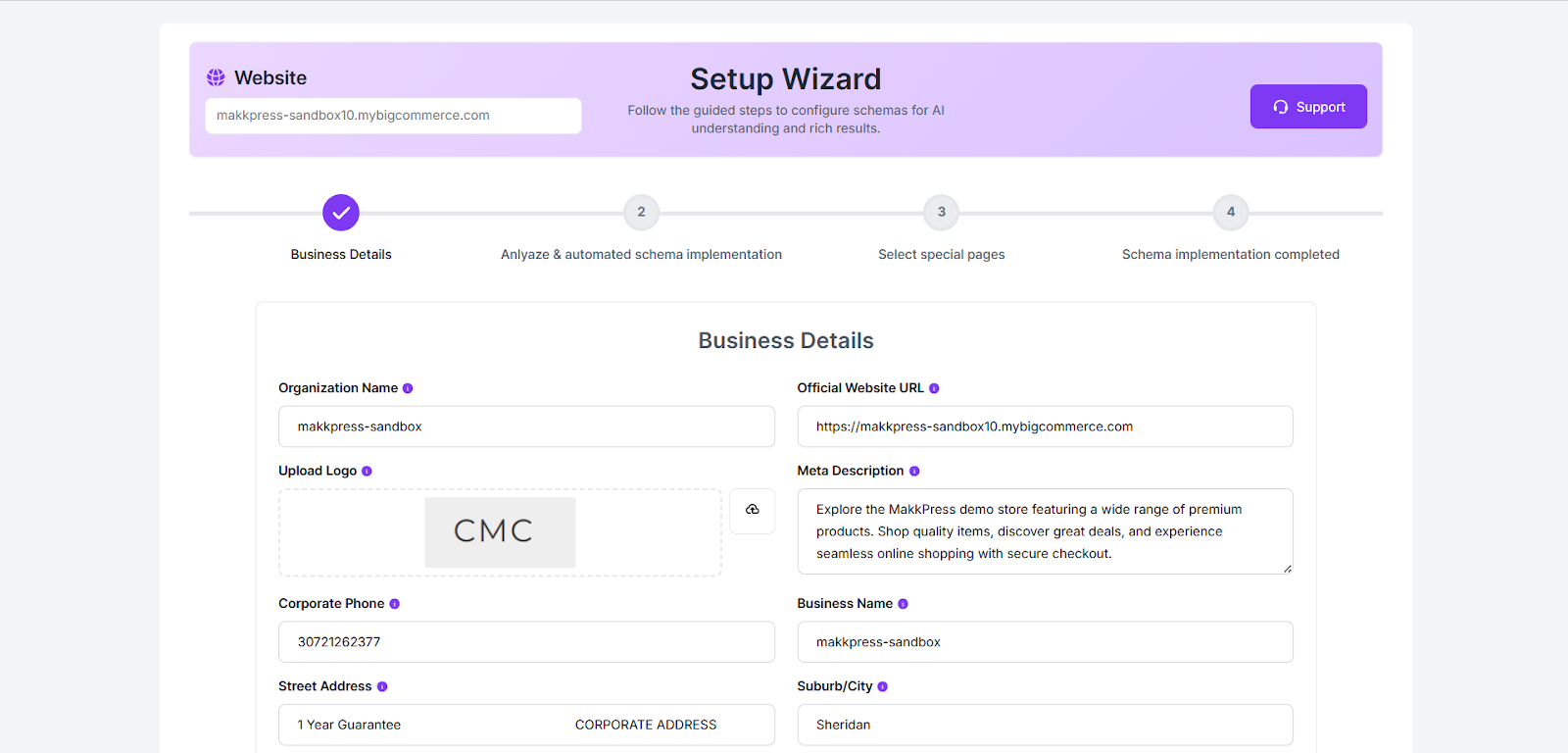
Step 8: Complete the Setup Wizard by entering your business details such as organization name, website URL, logo, description, and contact information. Then proceed to configure your schema settings.
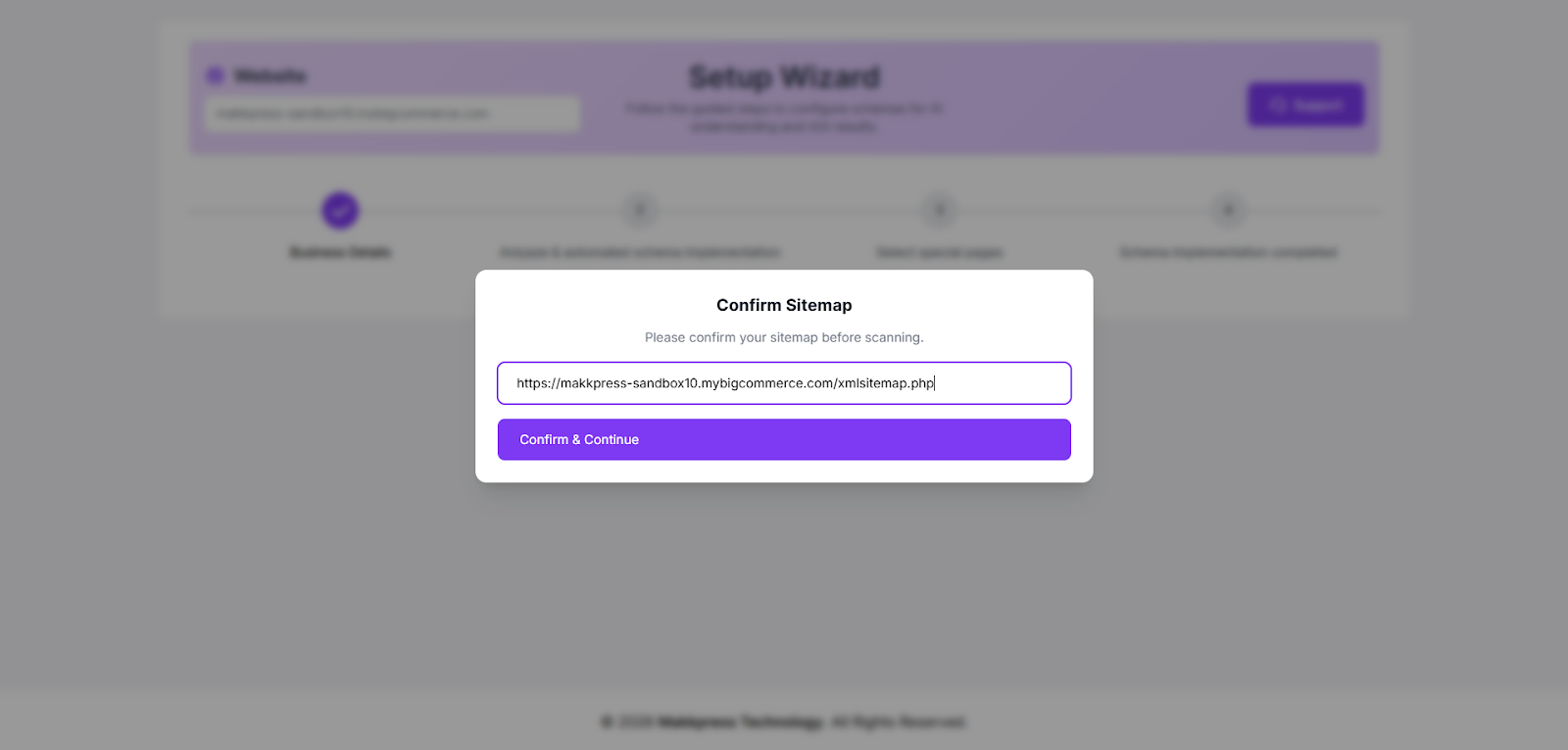
Step 9: Confirm your website sitemap URL and click “Confirm & Continue” to allow the tool to scan your site and set up the schema automatically.
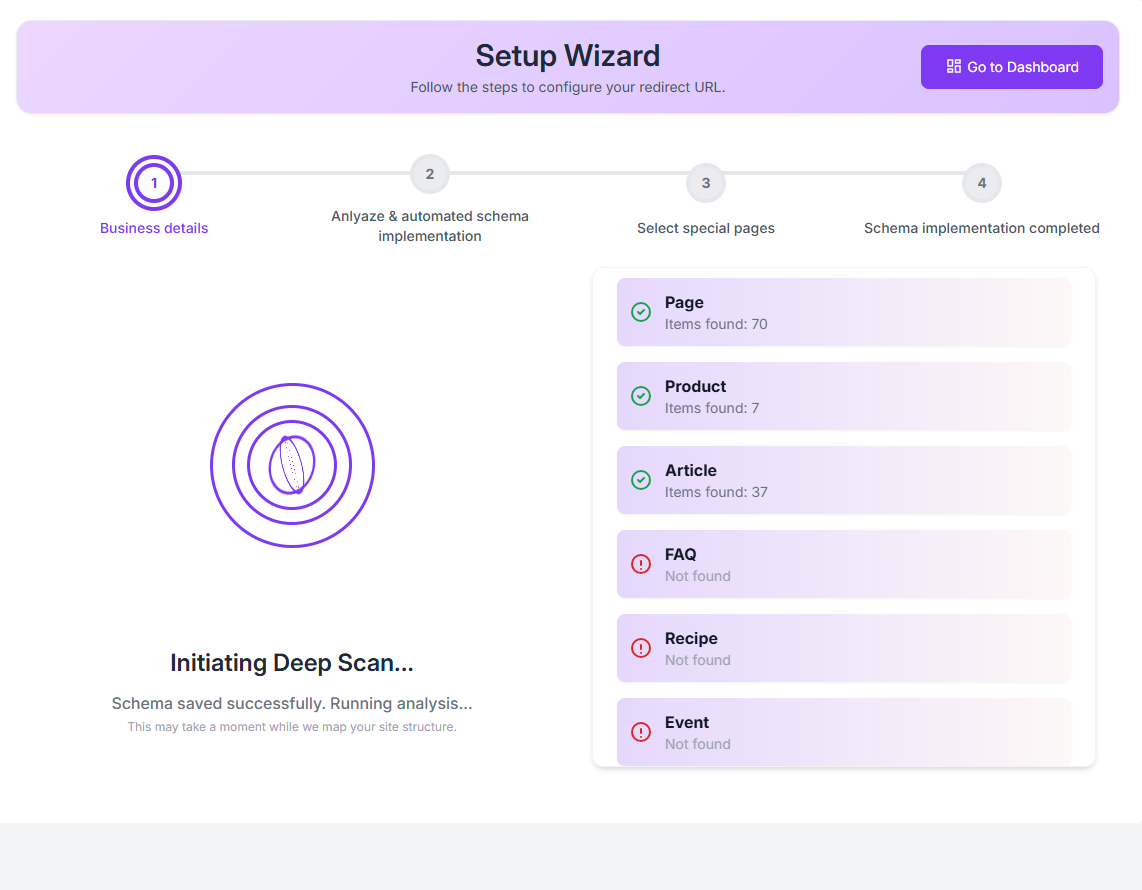
Step 10: The tool will begin a deep scan of your website to detect pages and automatically implement the appropriate schema types
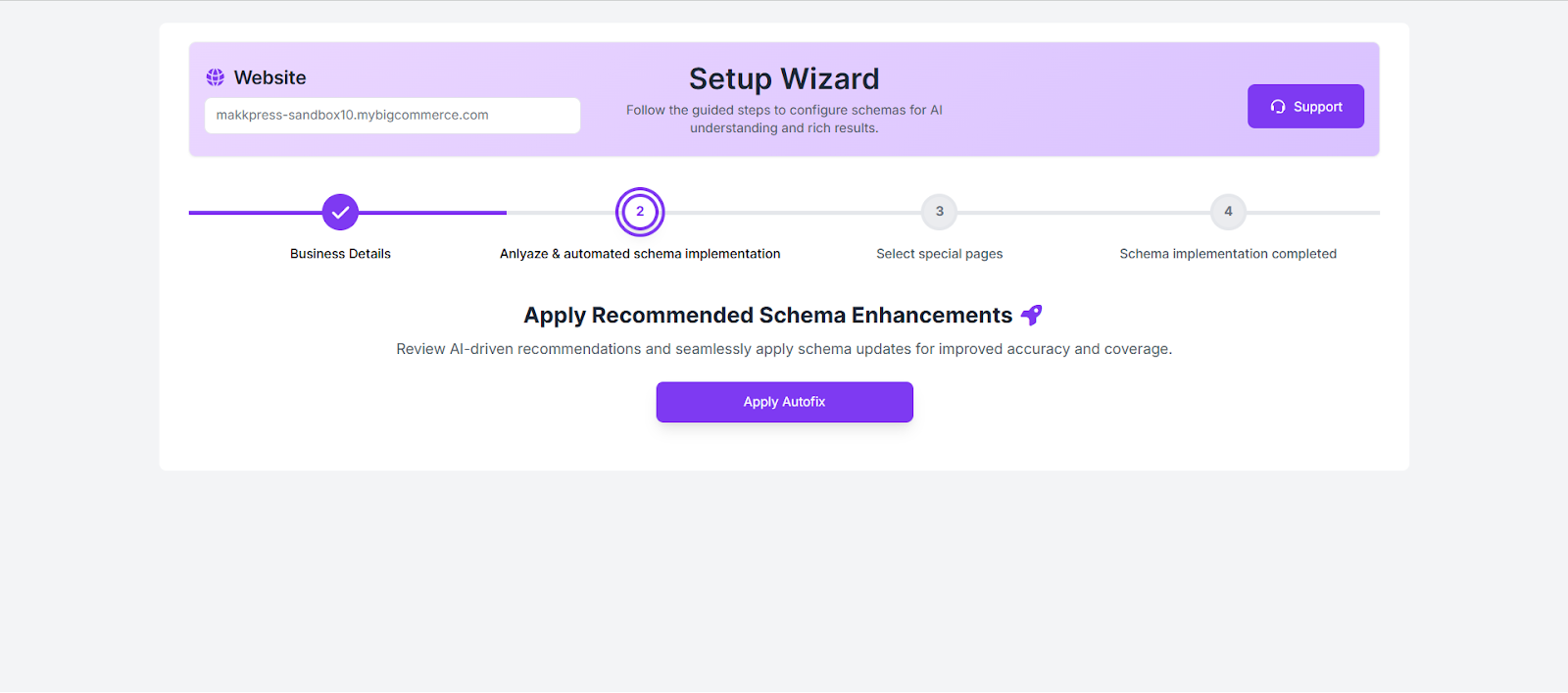
Step 11: Review the recommended schema improvements and click “Apply Autofix” to automatically implement the suggested schema enhancements.
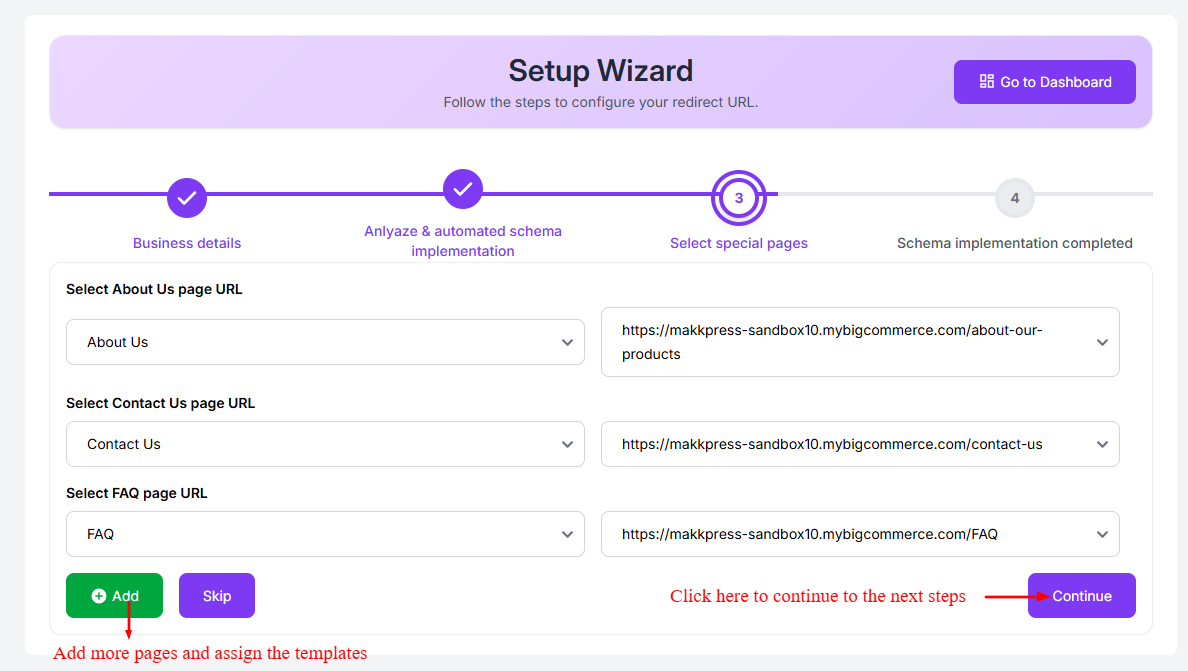
Step 12: Select the URLs for important pages such as About Us, Contact Us, and FAQ from the dropdown menus. If needed, you can add more pages by clicking Add. Once selected, click “Continue” to proceed to the final step.
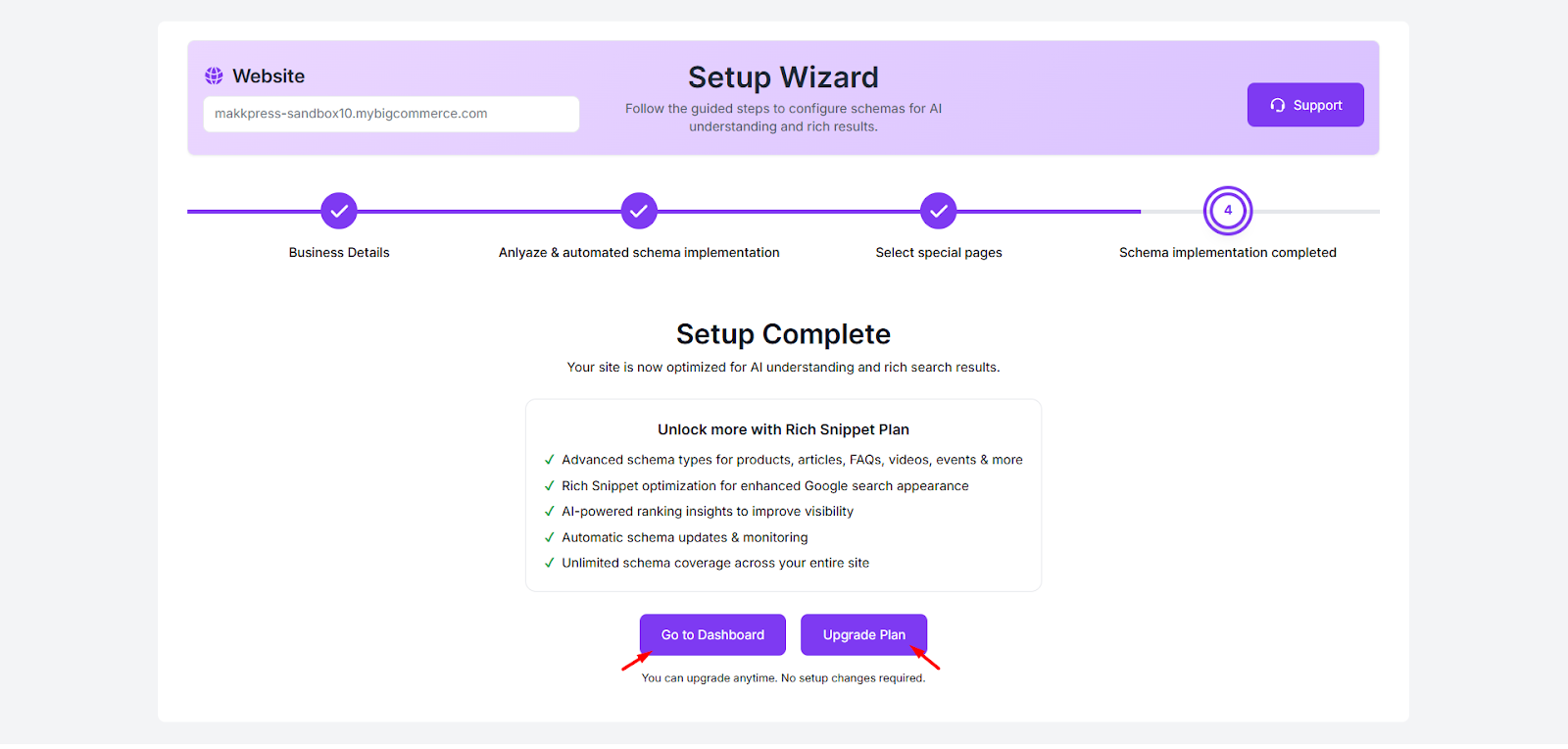
Step 13: Your JSON Schema App setup is now complete. Click “Go to Dashboard” to manage your schema settings and monitor your website’s structured data.
Found this helpful?
( 12 out of 23 found helpful )
