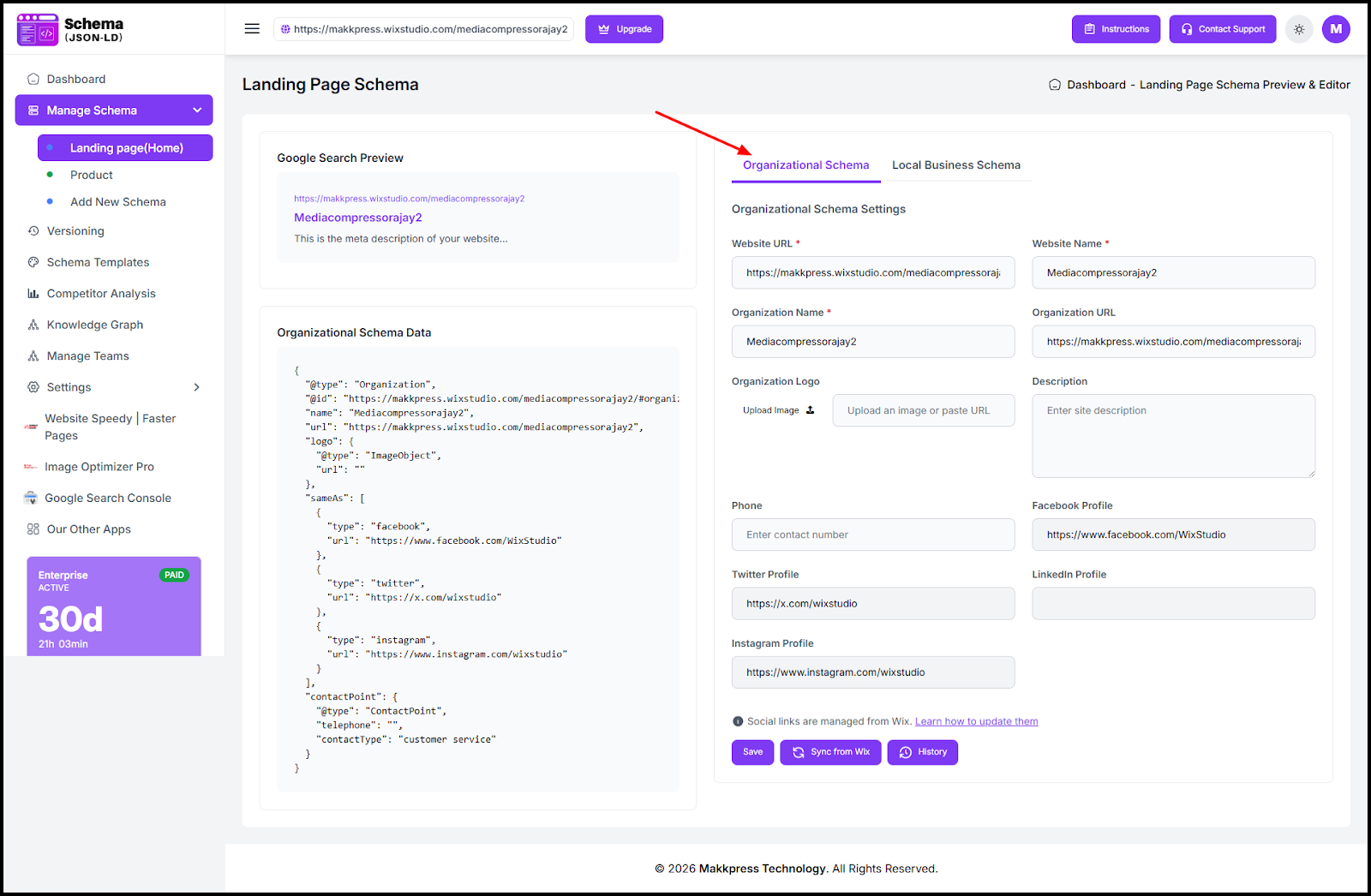
1. Add Organization Schema
- Open JSON Schema App → Manage Schema → Landing Page (Home)
- Select Organization Schema
- Add details (name, logo, URL, phone, social links)
- Click Save
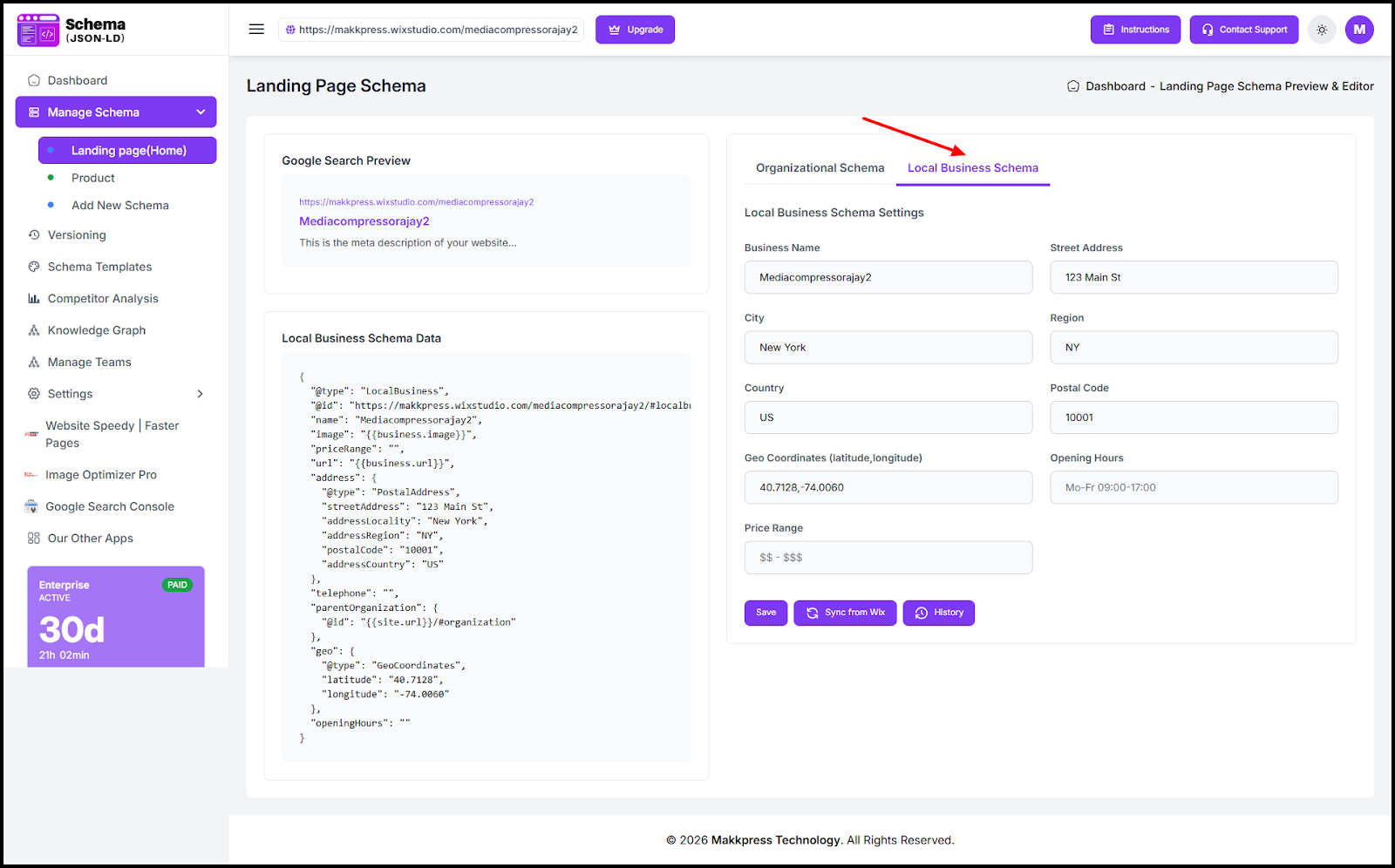
2. Add Local Business Schema
- Go to Manage Schema → Landing Page (Home)
- Open Local Business Schema
- Enter business address, location, hours, and price range
- Click Save (or use Sync from Wix)
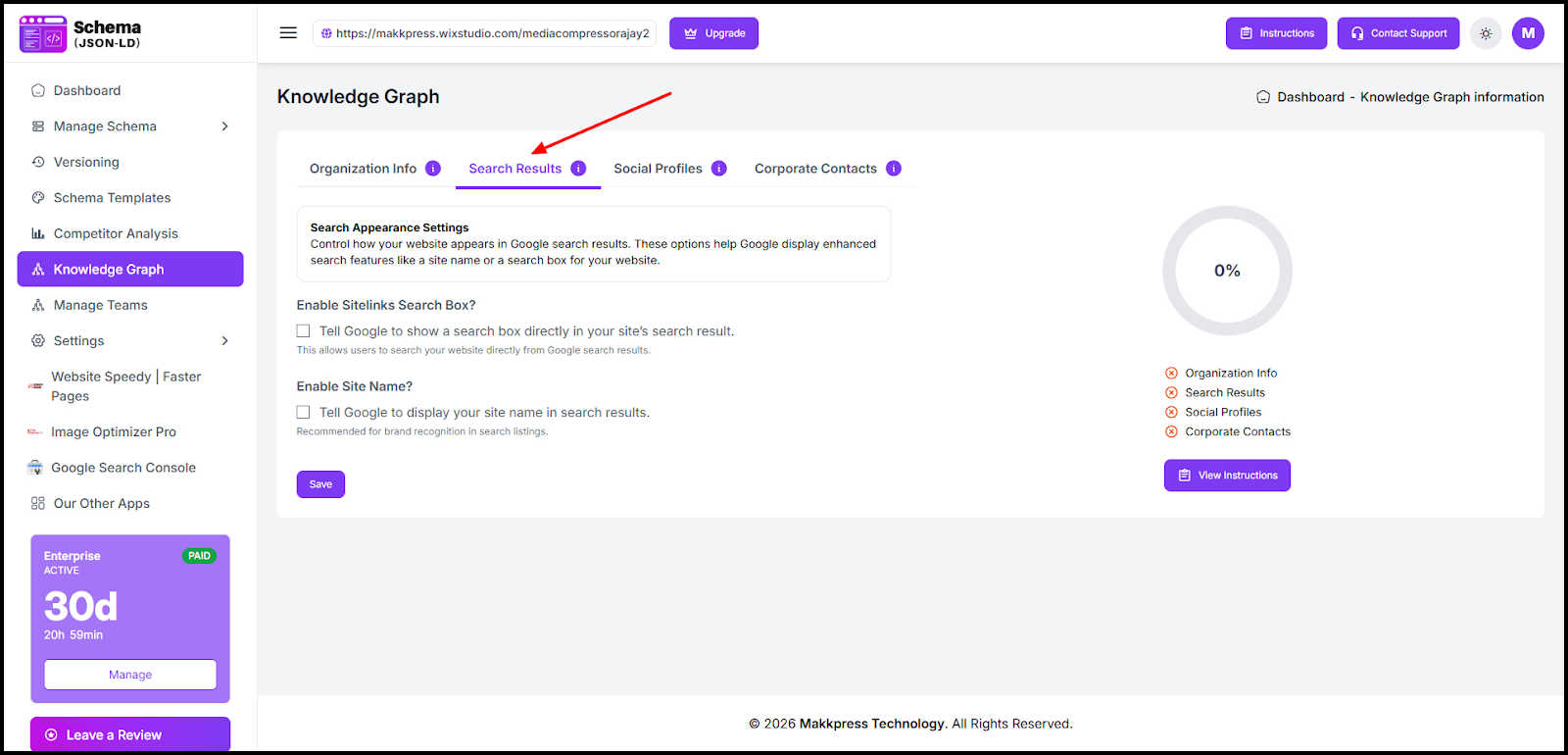
3. Enable Site Search Schema
- Open Knowledge Graph → Search Results
- Enable Sitelinks Search Box
- (Optional) Enable Site Name
- Click Save
Found this helpful?
( 21 out of 42 found helpful )
