How to Submit a Ticket
- Open your dashboard on your respective platform (such as Shopify, Wix, or your custom platform)
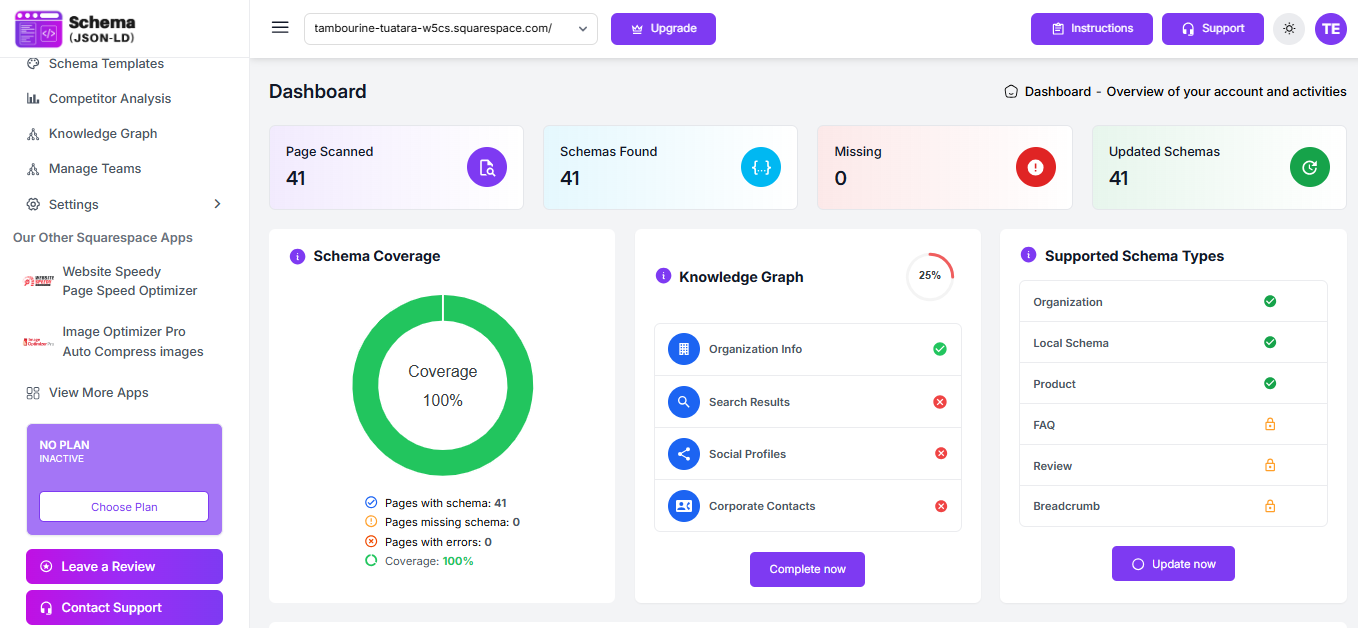
- Once on the dashboard, navigate to the top section of the screen (header panel).
- Locate the “Support” button in the header.
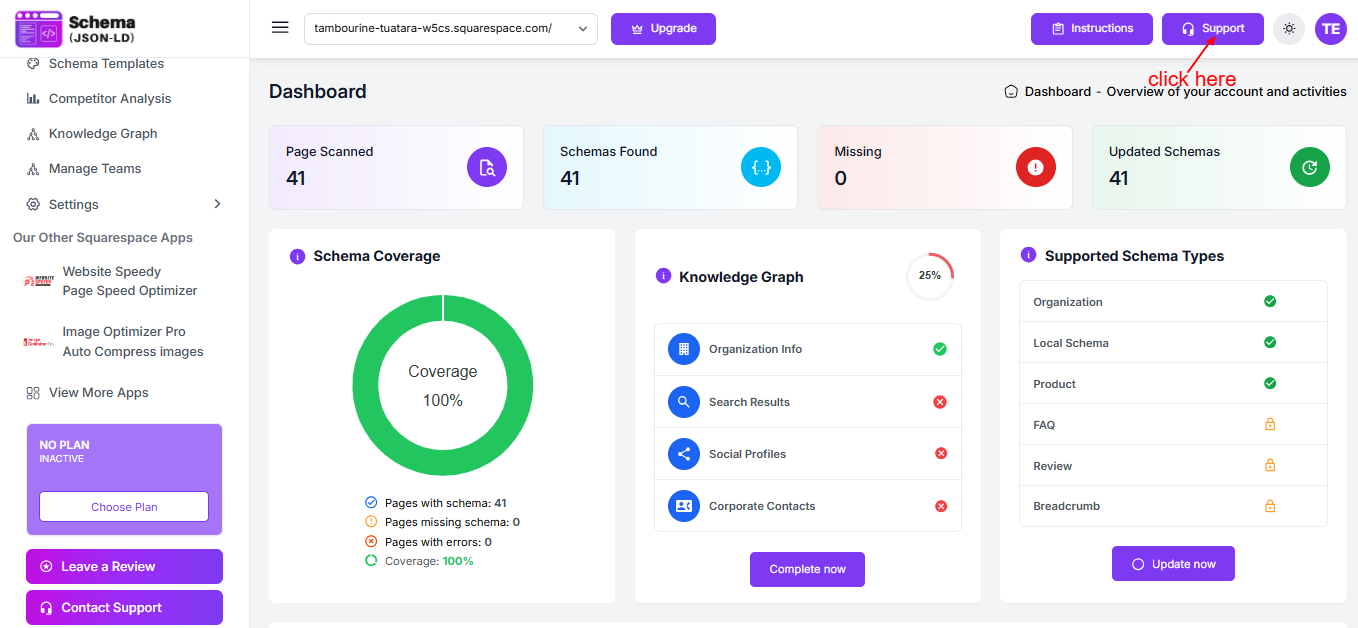
- Click on the “Support” button to open the popup window.
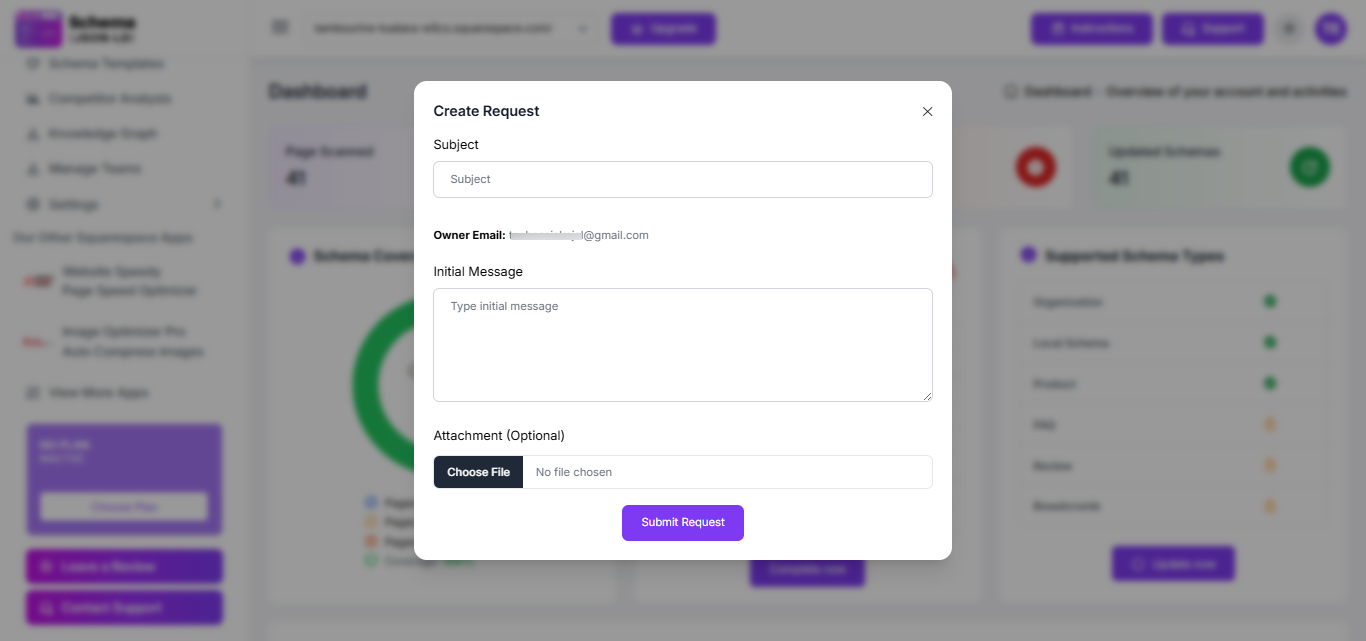
- Enter the required details in the popup form.
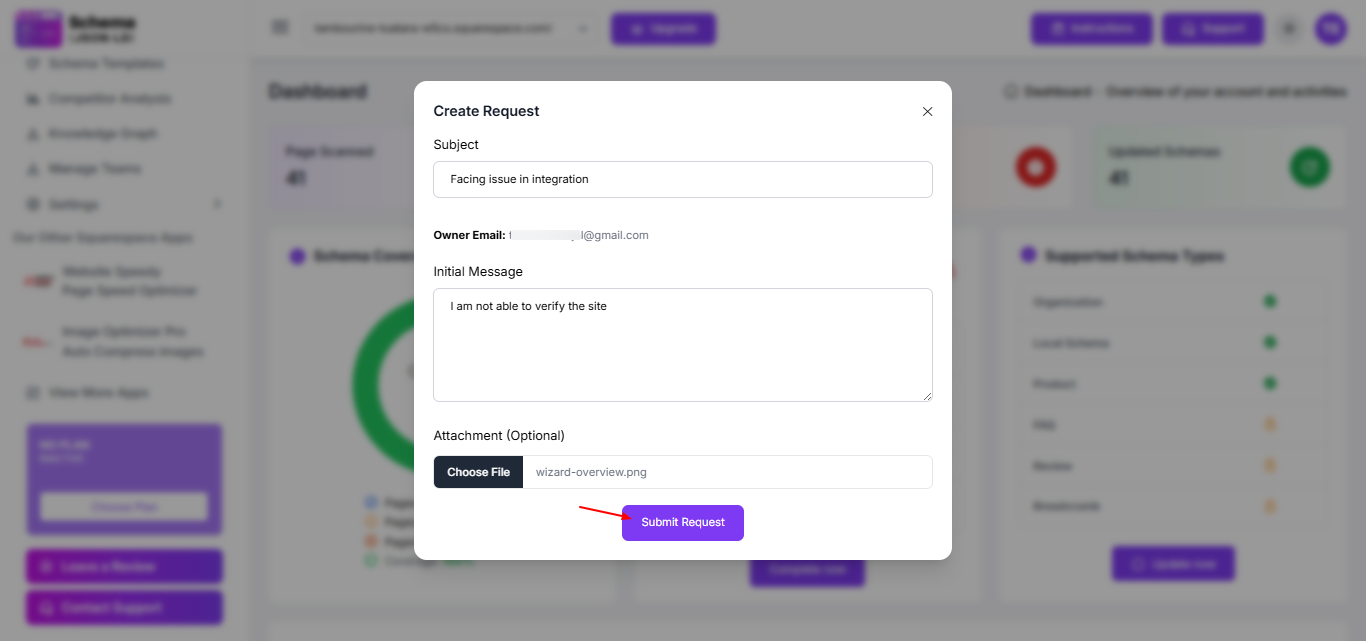
- Click Submit to complete the process.
Note
- Our support team will review your request and get back to you within 24–48 hours.
- Please ensure all details are entered correctly for a quicker response.
