Method 1: Setup Wizard
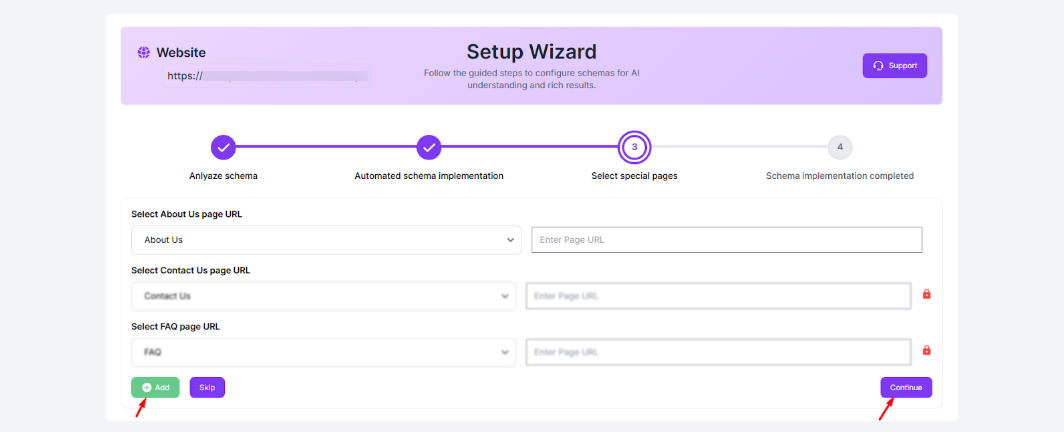
The JSON Schema App includes a Setup Wizard that appears during account setup. It guides you through assigning schema automatically by scanning your website and suggesting the most appropriate schema types for each page based on your content.
Method 2: Manual Assignment
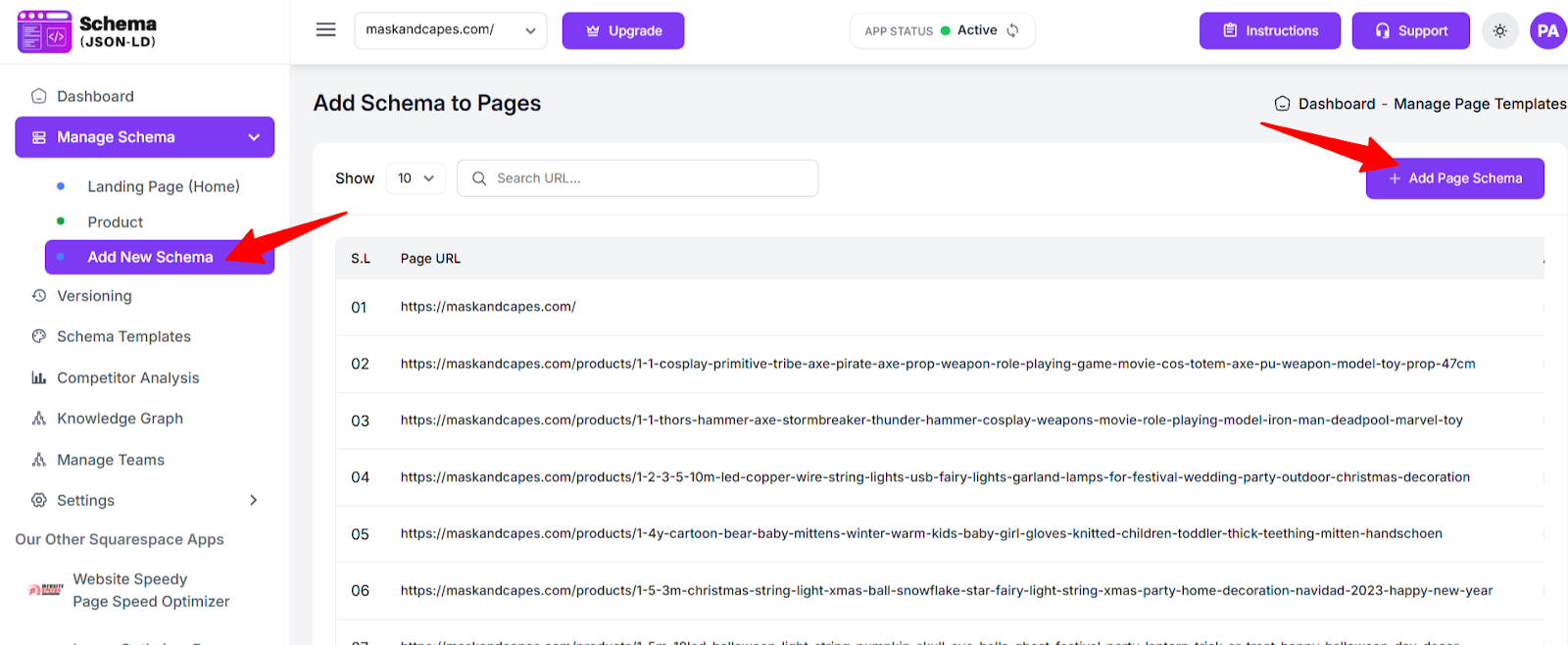
You can also assign schema templates manually. Simply navigate to Manage Schema → Add New Schema → Add Page
Schema.
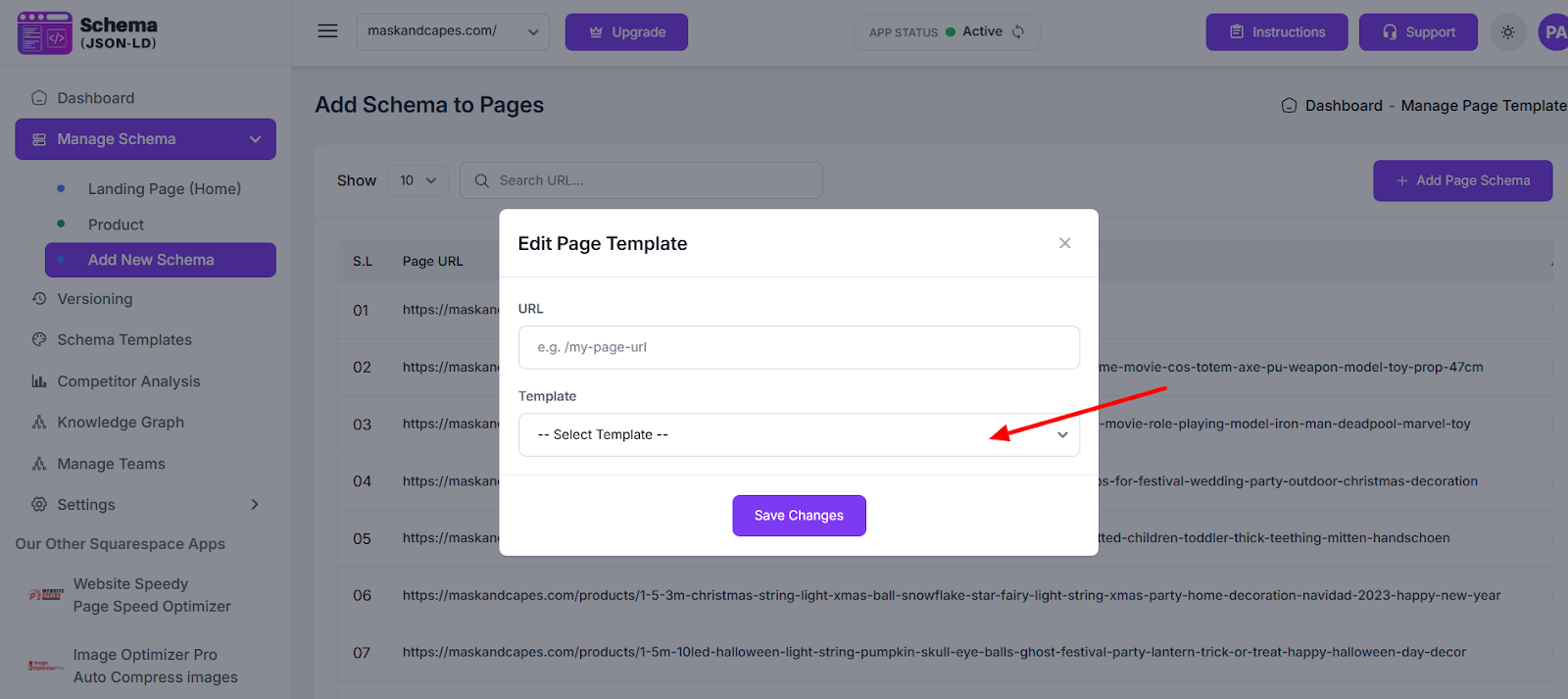
Add your page URL and choose the suitable template for that specific page.
Found this helpful?
( 14 out of 26 found helpful )
