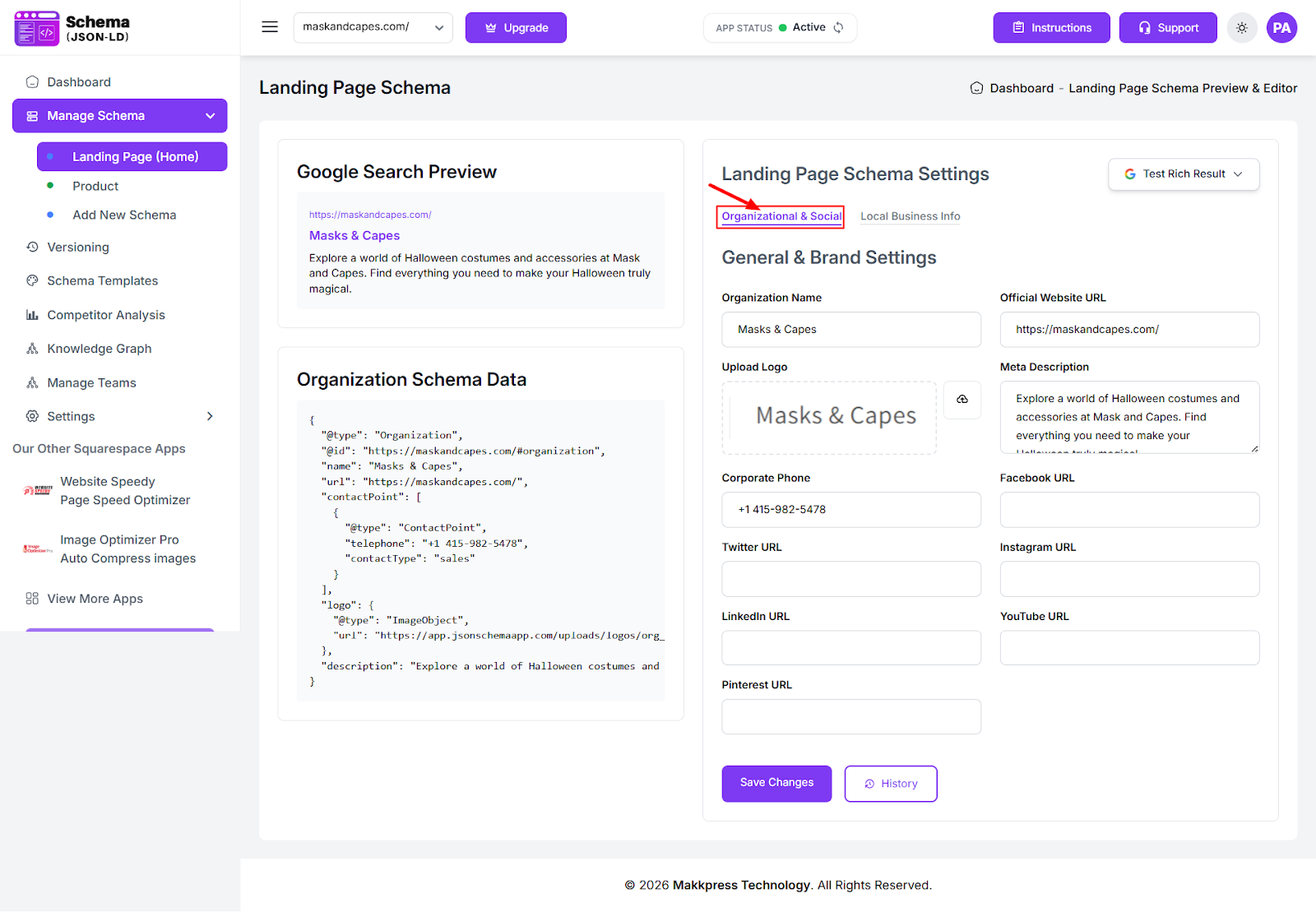
1. Add Organization Schema
Go to Manage Schema → Landing Page (Home). Enter your organization details such as organization name, logo, website URL, contact information, and social profiles, then click Save.
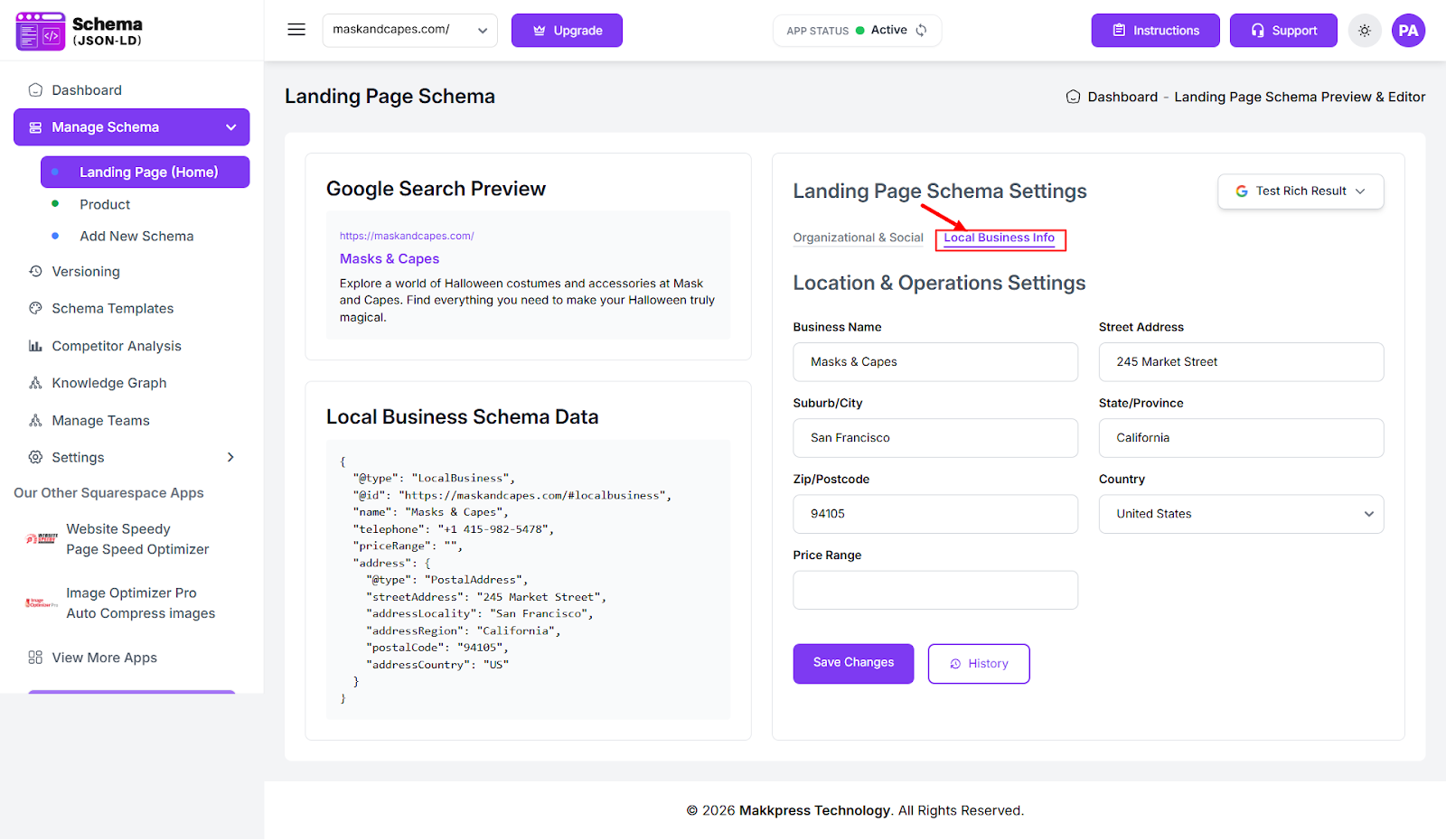
2. Add Local Business Schema
Navigate to Manage Schema → Landing Page (Home). Under the Local Business Info tab, fill in your business details, including address, city, country, postal code, and opening hours, then click Save to apply your settings.
3. Enable Site Search Schema
Under the Knowledge Graph tab, go to the Search Results section and enable the Sitelinks Search Box option. Then click Save to apply the changes.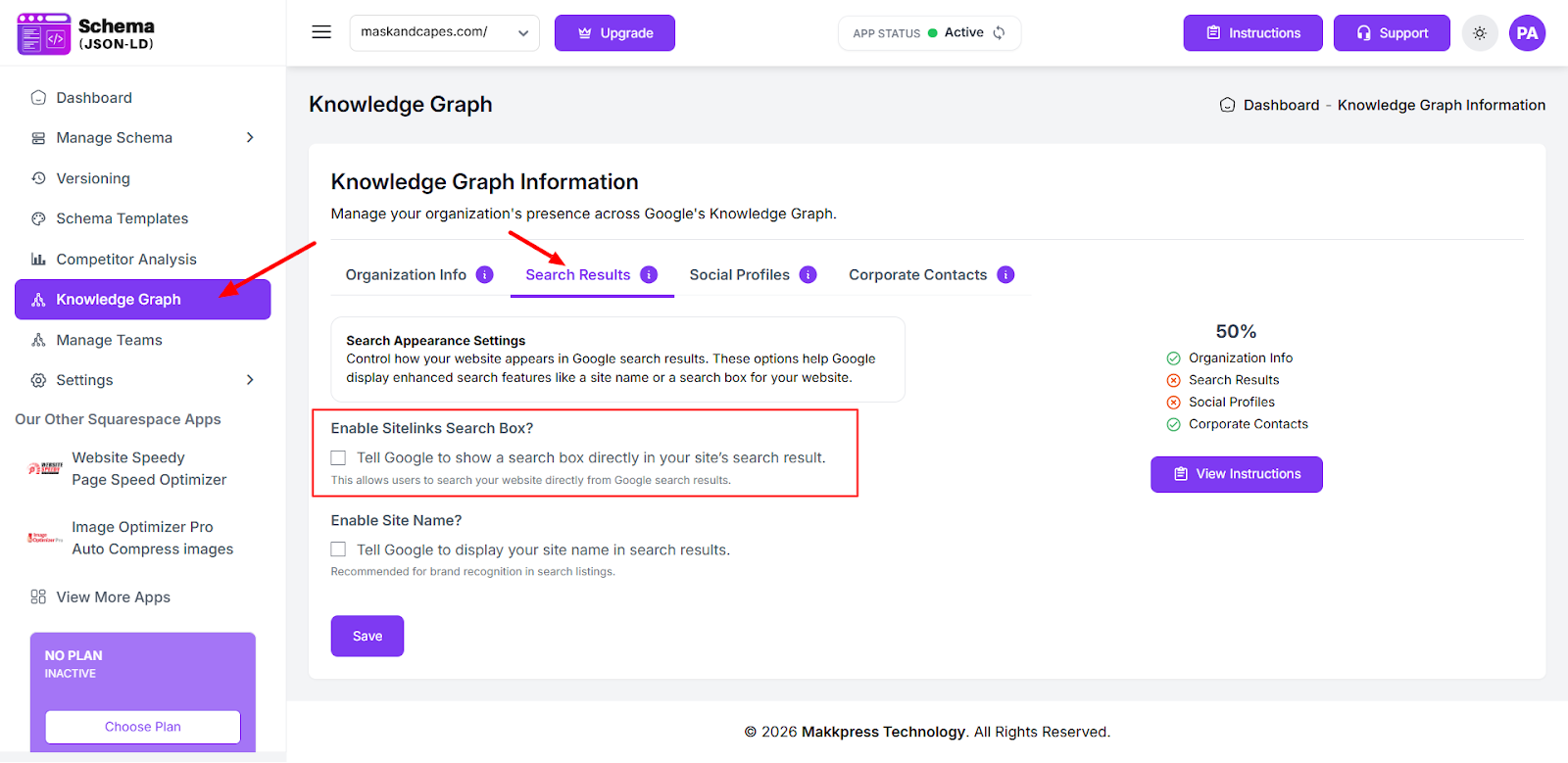
Once completed, the tool will automatically generate the required JSON-LD structured data for your Shopify store.
Found this helpful?
( 19 out of 30 found helpful )
