Upgrading your JSON Schema App for Squarespace plan is quick and takes only a few clicks. If you want access to advanced schema types, Rich Snippet support, Knowledge Graph features, and full structured data coverage, you can upgrade directly from your dashboard.
1. Open the App Dashboard
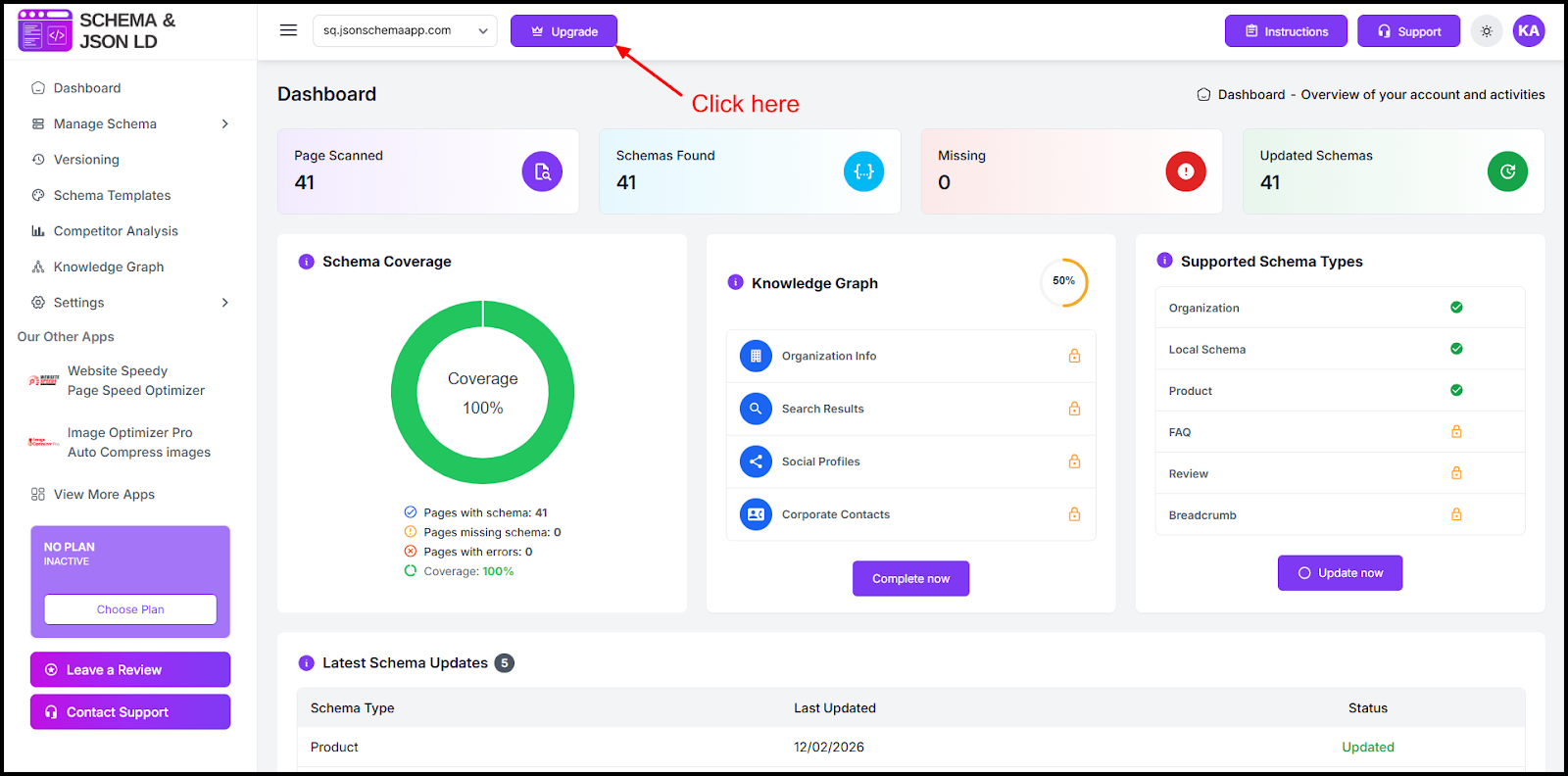
Log in to your Squarespace website and open the Schema & JSON-LD App dashboard
2. Click the “Upgrade” Button
In the top-right corner of the dashboard header, click the Upgrade button.
3. Select Your Preferred Plan
You will be redirected to the Pricing Plans page.
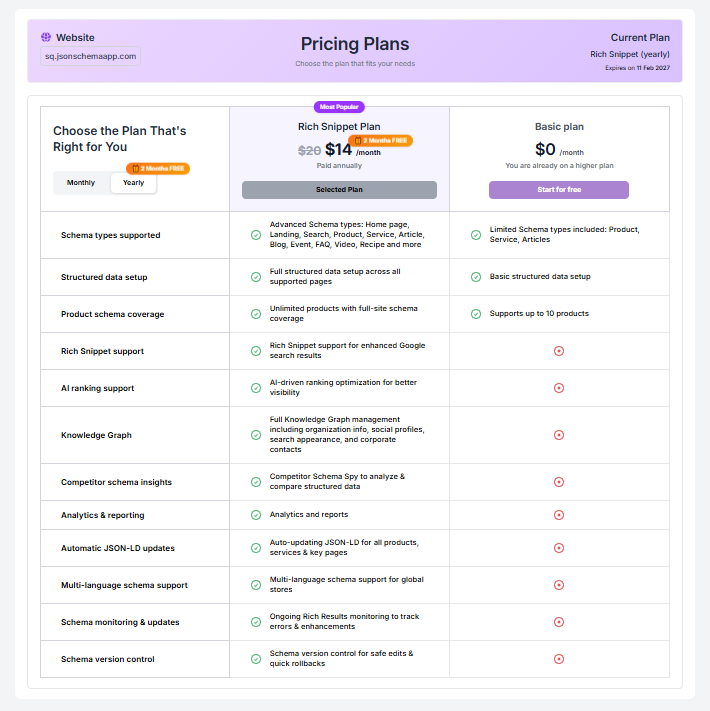
Here you can:
- Choose Monthly or Yearly billing
- Compare features between available plans
- Review benefits like:
- Advanced schema types (Product, Service, FAQ, Article, Blog, etc.)
- Rich Snippet optimization for Google
- Knowledge Graph support
- Schema version control
- Automatic JSON-LD updates
4. Complete Secure Payment
Proceed with checkout and complete your payment.
Your upgraded plan will activate instantly after successful payment.
Important Note About Downgrading
Currently, downgrading to a lower plan is not supported within the app.
If you need assistance regarding billing or plan changes, please contact our support team from the dashboard for help.
Why Upgrade the JSON Schema App?
Upgrading helps you:
- Improve Google Rich Results visibility
- Unlock advanced structured data types
- Boost SEO performance on Squarespace
- Increase click-through rates from search results
- Monitor and manage schema versions safely
For businesses serious about improving Squarespace SEO with structured data, upgrading ensures maximum search visibility and rich snippet performance.
Found this helpful?
( 22 out of 36 found helpful )
