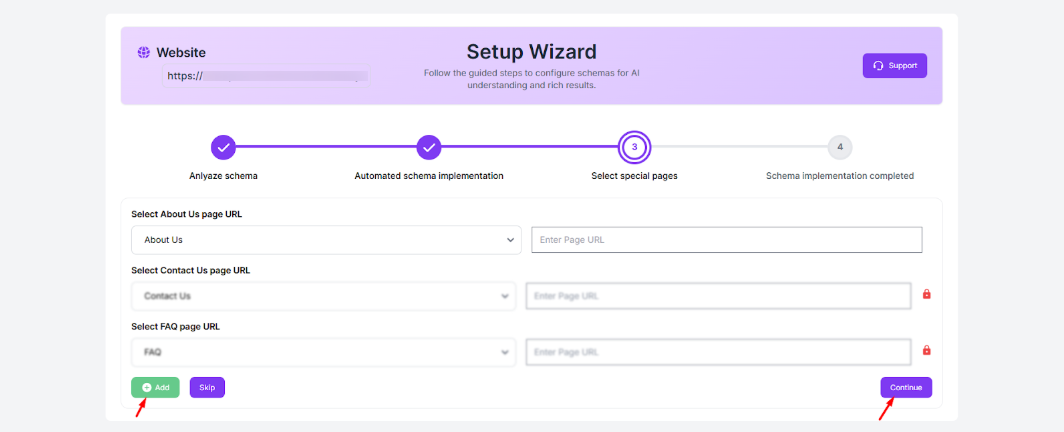
Option 1: Setup Wizard
The JSON Schema App includes a Setup Wizard (appears during account setup) that automatically assigns schema templates. It scans your HubSpot website and suggests the most suitable schema types for each page based on your content.
Option 2: Manual Setup
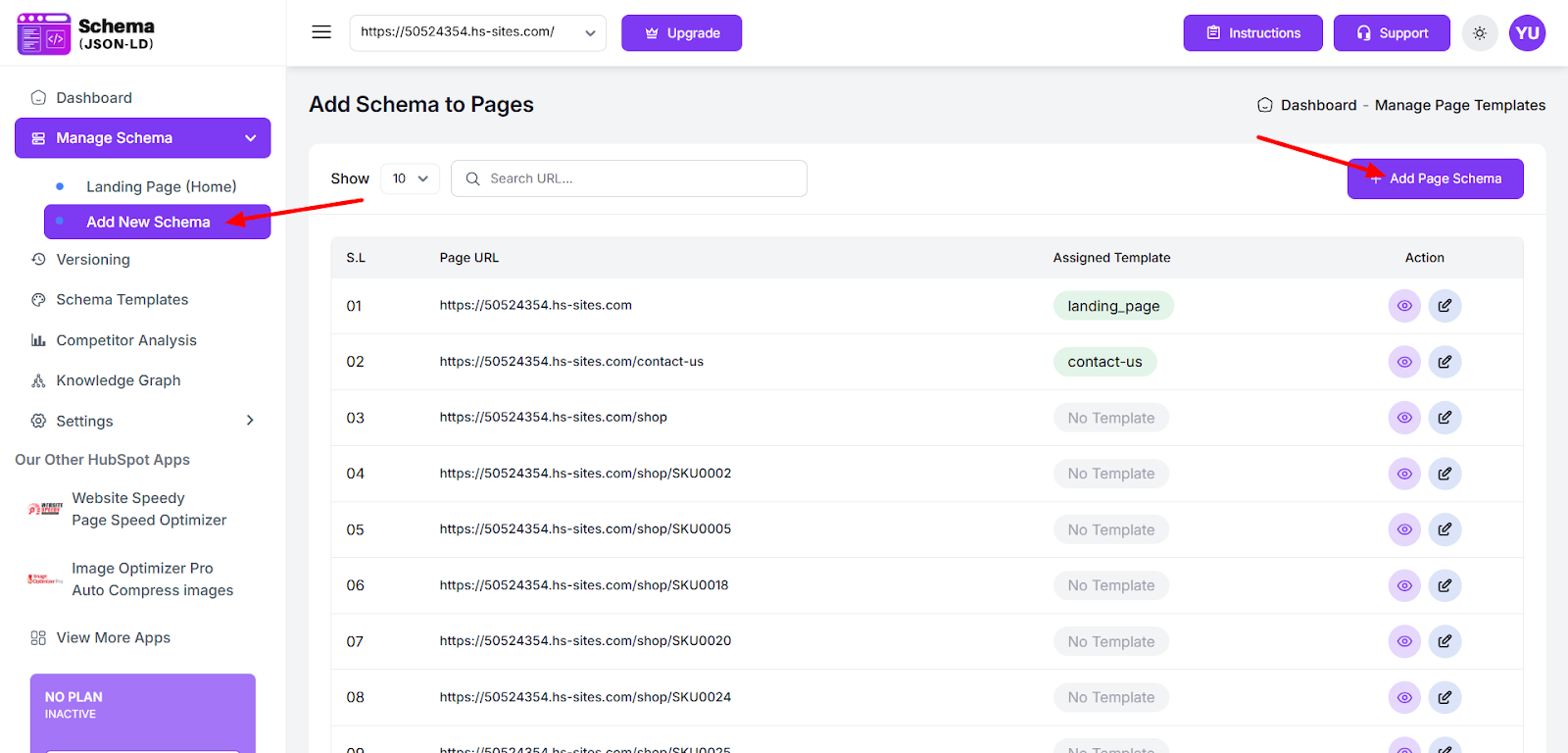
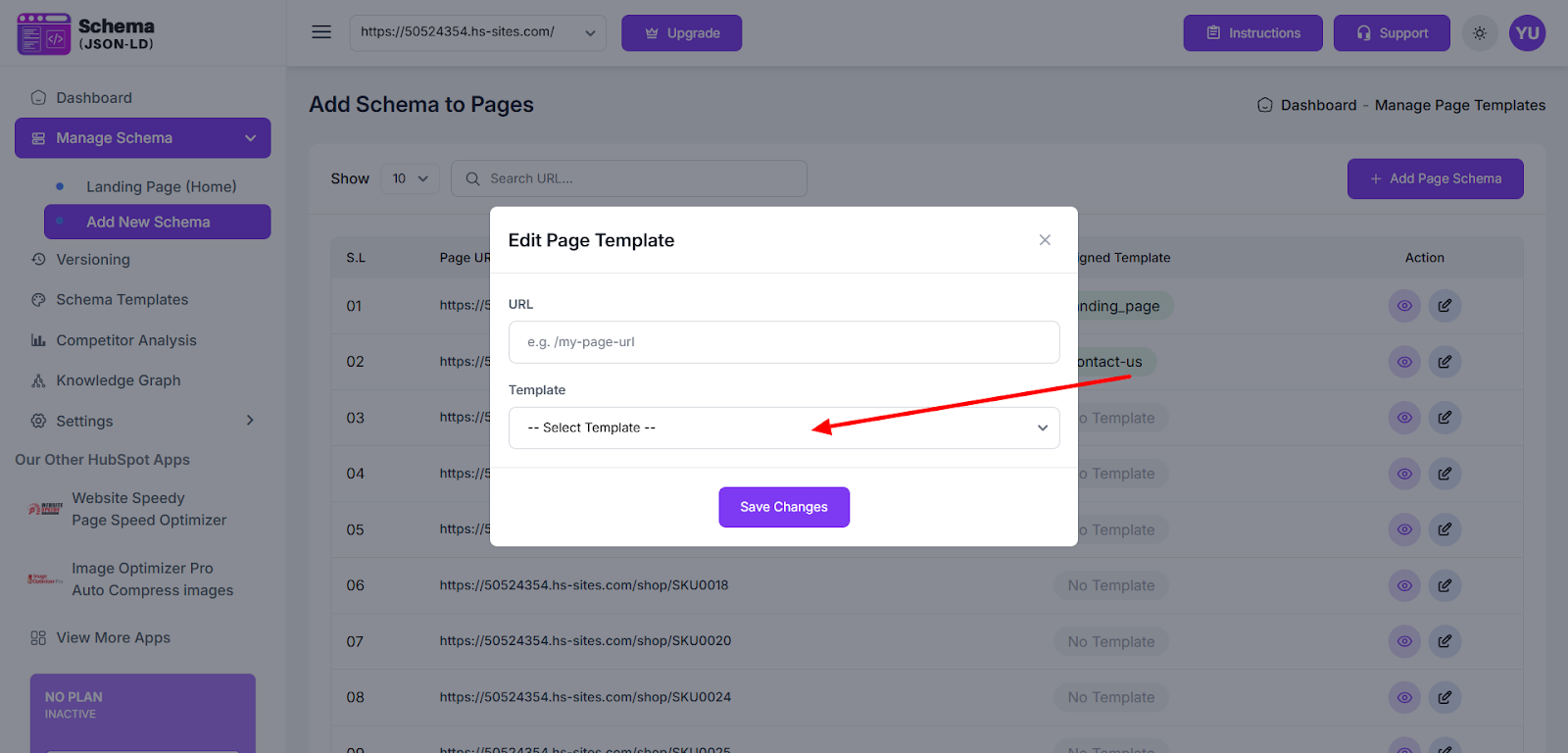
If needed, schema templates can also be added manually. Go to Manage Schema → Add New Schema → Add Page Schema, enter your page URL, and choose the appropriate template for that page
Found this helpful?
( 10 out of 18 found helpful )
