You can configure custom Collection and Sub-Collection schema markup in Squarespace using the JSON Schema App to better control how your category, shop, or grouped pages appear in search results.
This is especially useful for ecommerce stores that want optimized ItemList, CollectionPage, or category-level structured data for better Google Rich Results visibility.
What Is Collection & Sub-Collection Schema?
- Collection Schema applies to main category pages (e.g., /shop, /category/shoes)
- Sub-Collection Schema applies to nested categories (e.g., /shop/shoes/running)
Proper configuration ensures: Configuration Flow
- Products are structured correctly inside category pages
- Google understands hierarchy between categories
- Search engines index grouped items accurately
- Rich Results eligibility improves
Configuration Flow
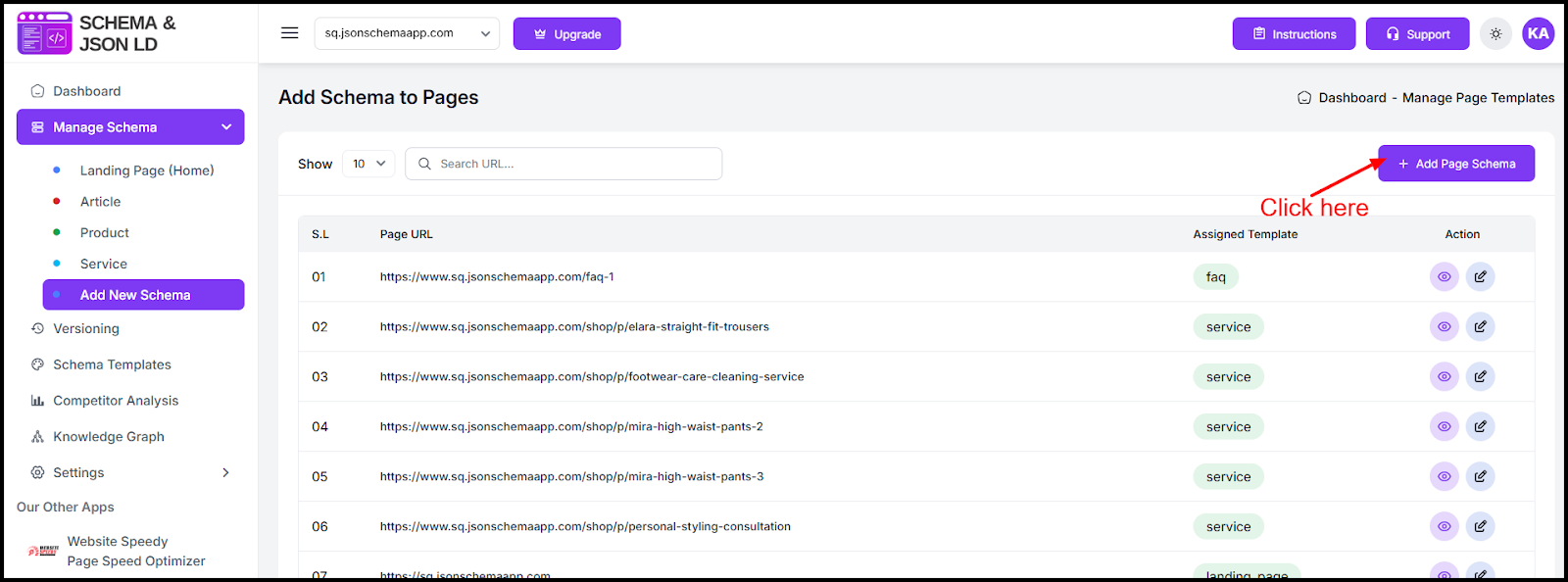
Step 1: Open Manage Schema
Log in to your JSON Schema App and go to Manage Schema from the sidebar.
Step 2: Select or Create a Collection Template
Choose an existing Collection schema template or create a new one designed for:
- CollectionPage
- ItemList
- Product grouping
Templates control how products are structured within the category.
Step 3: Assign Schema to Collection URL
Use Add Page Schema to assign the template to your main collection URL (example: /shop or /category-name).
This applies structured data to that collection page.
Step 4: Configure Sub-Collection URLs
Repeat the process for sub-collection URLs such as:
- /shop/category/sub-category
- /collection/seasonal-products
Assign either:
- The same template
- Or a modified template for different schema behavior
Step 5: Save and Apply Changes
After saving, the app automatically generates structured JSON-LD markup for those collection and sub-collection pages.
What You Can Customize
With custom collection schema, you can:
- Control how products appear inside category markup
- Define list position order
- Customize collection name and description
- Override default category behavior
- Optimize nested collections differently
Why This Matters for SEO
Configuring custom Collection and Sub-Collection schema helps:
- Improve category page indexing
- Strengthen ecommerce SEO structure
- Increase product discoverability
- Avoid duplicate schema conflicts
- Provide clear content hierarchy to Google
For Squarespace stores with multiple product categories, properly structured collection schema significantly improves search visibility.
Found this helpful?
( 4 out of 7 found helpful )
