To install the JSON Schema App directly from our website on your Wix or Wix Studio site, follow these steps
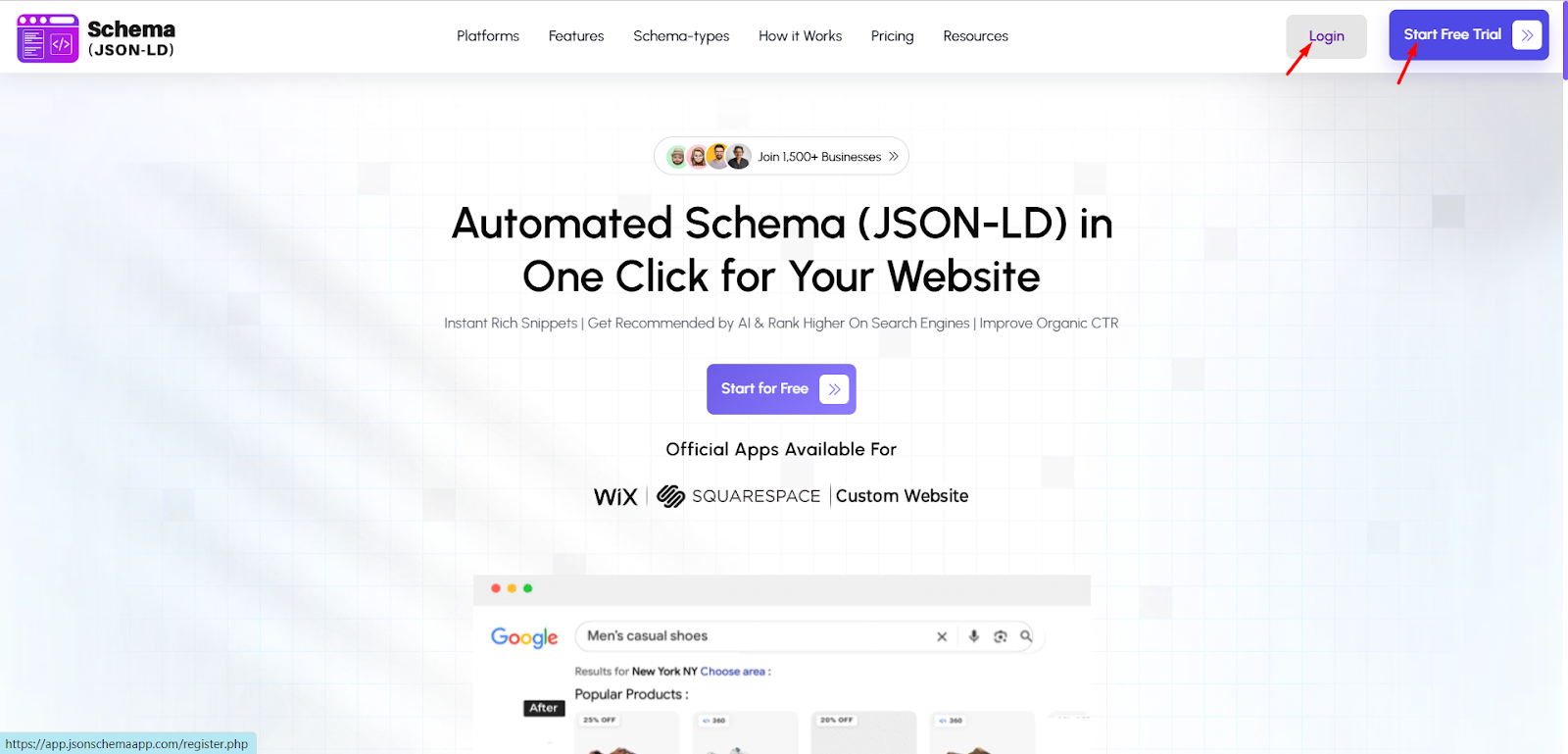
Step 1: Go to the JSON Schema App Website and log in to your account. If you do not have an account, click Start Free Trial and create one.
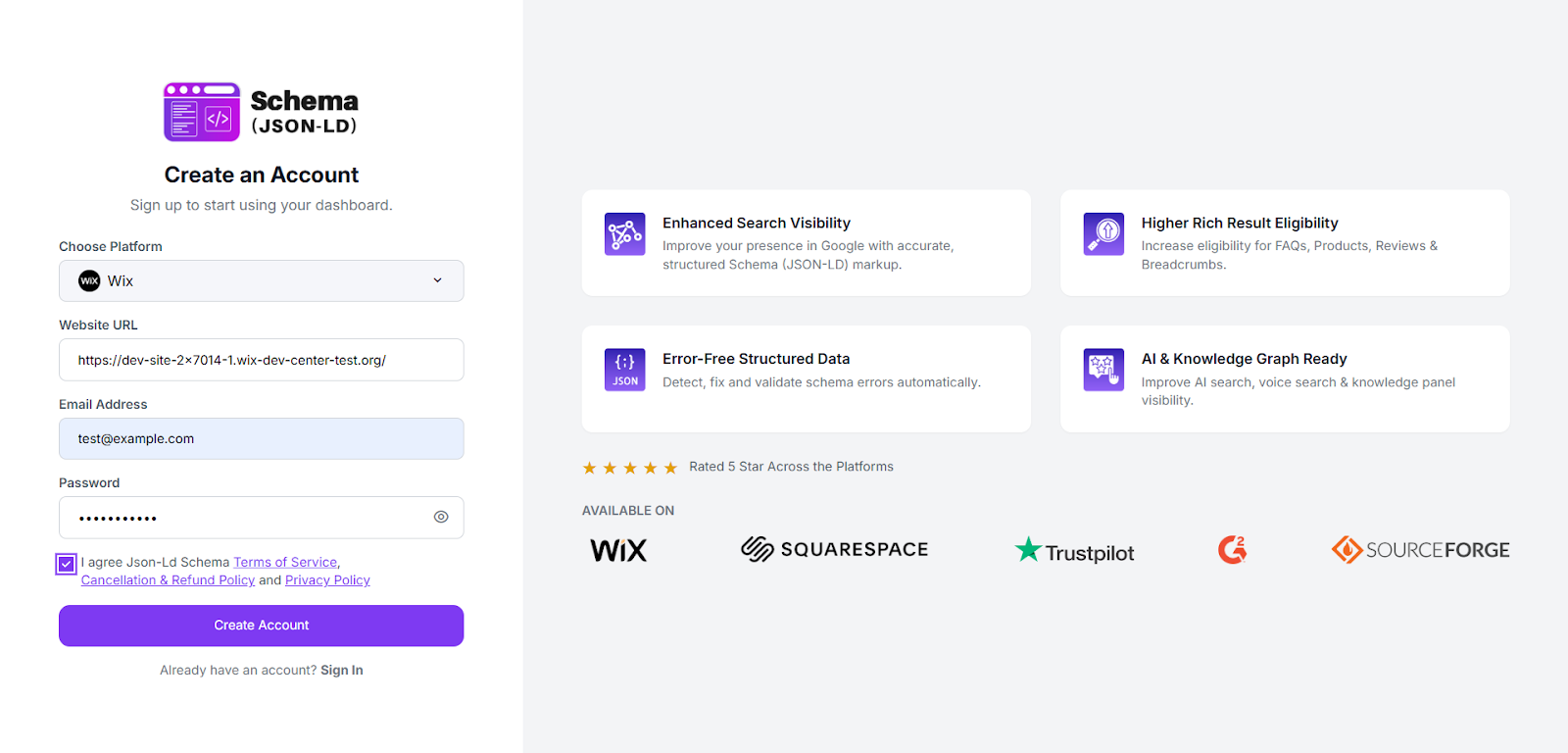
Step 2: Select Wix as your platform, enter your website URL, email address, and create a password. Accept the terms and click “Create Account” to continue.
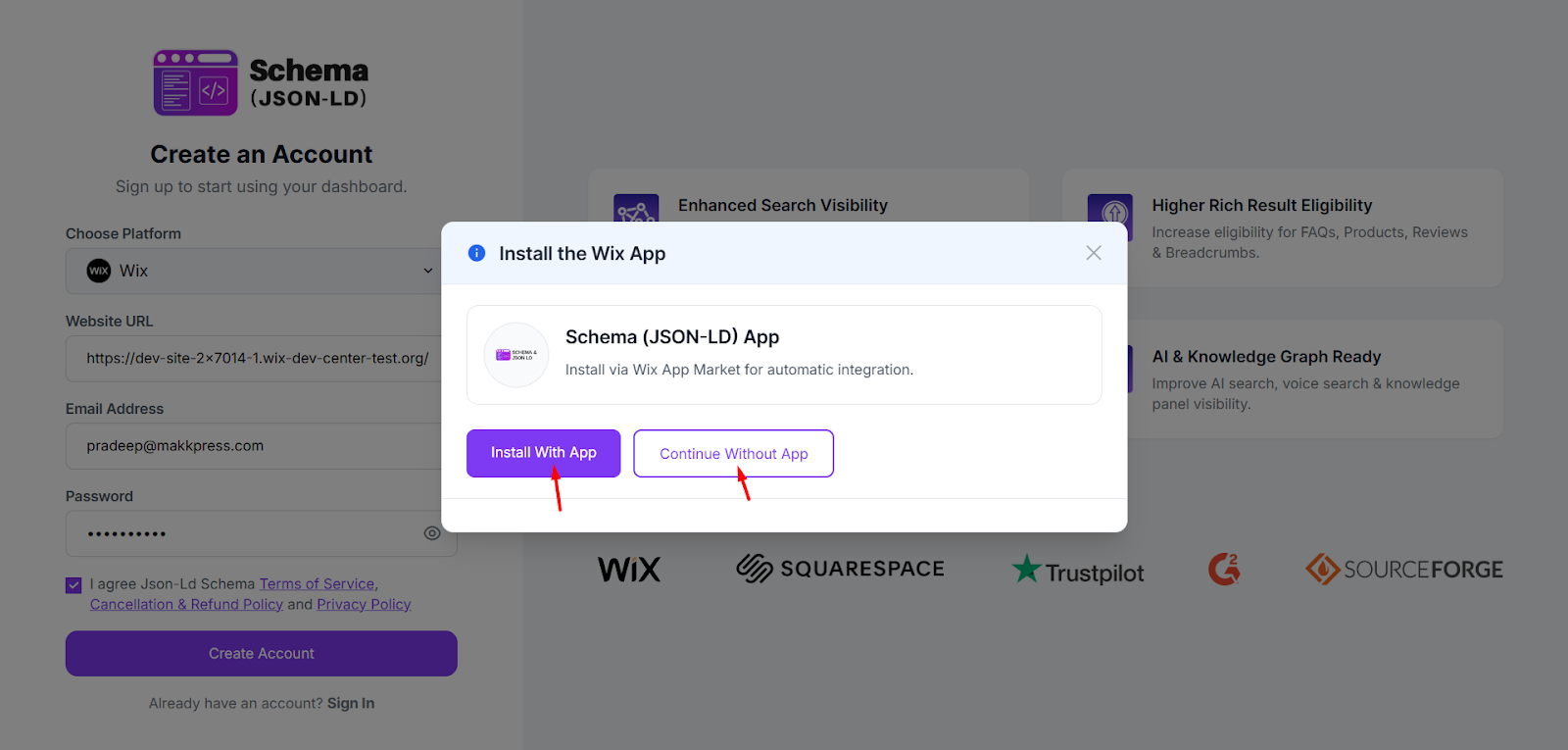
Step 3: After creating your account, a popup will appear asking to install the Wix app. Click “Continue Without App” to install the Schema tool directly from the website.
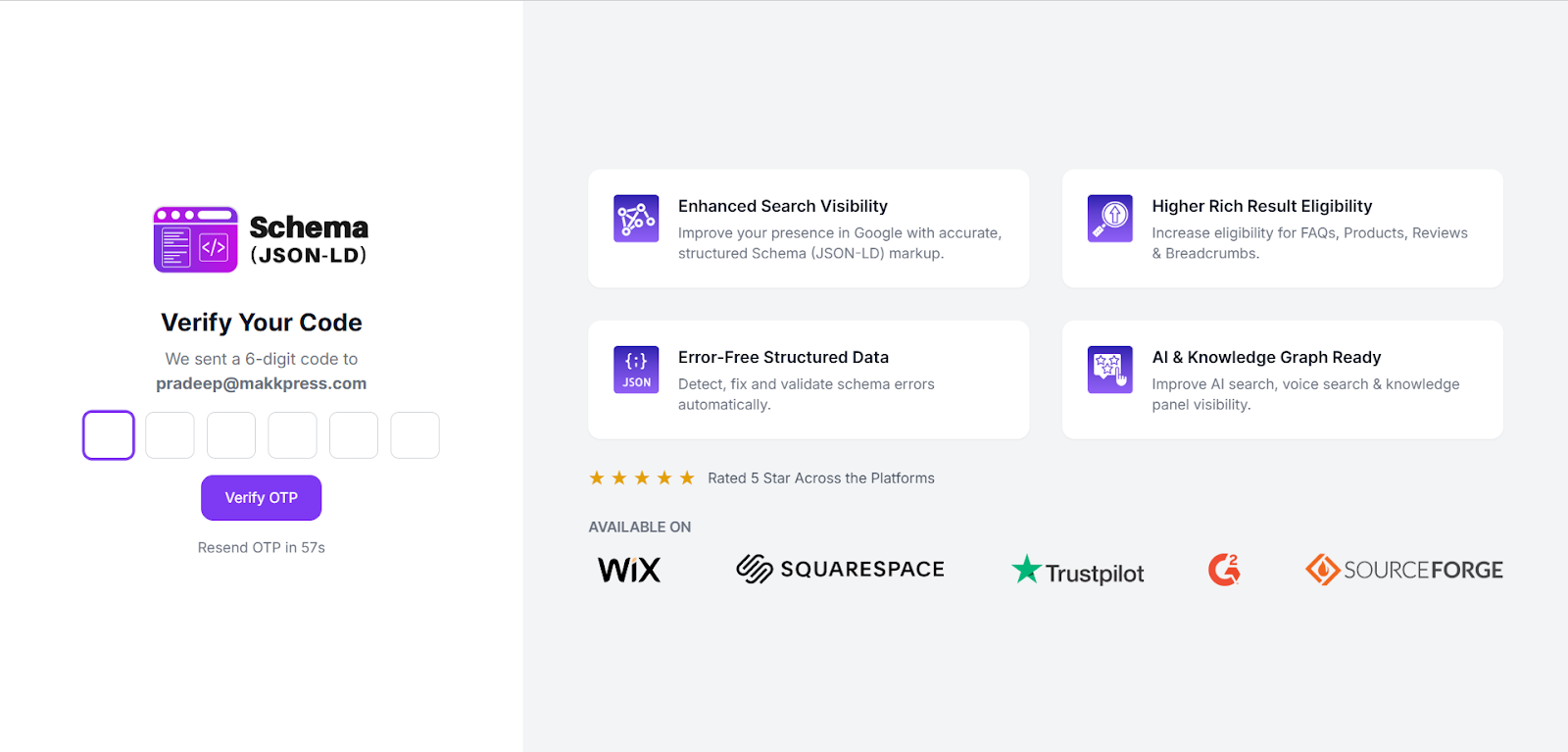
Step 4: Enter the 6-digit verification code sent to your registered email address, then click “Verify OTP” to continue.
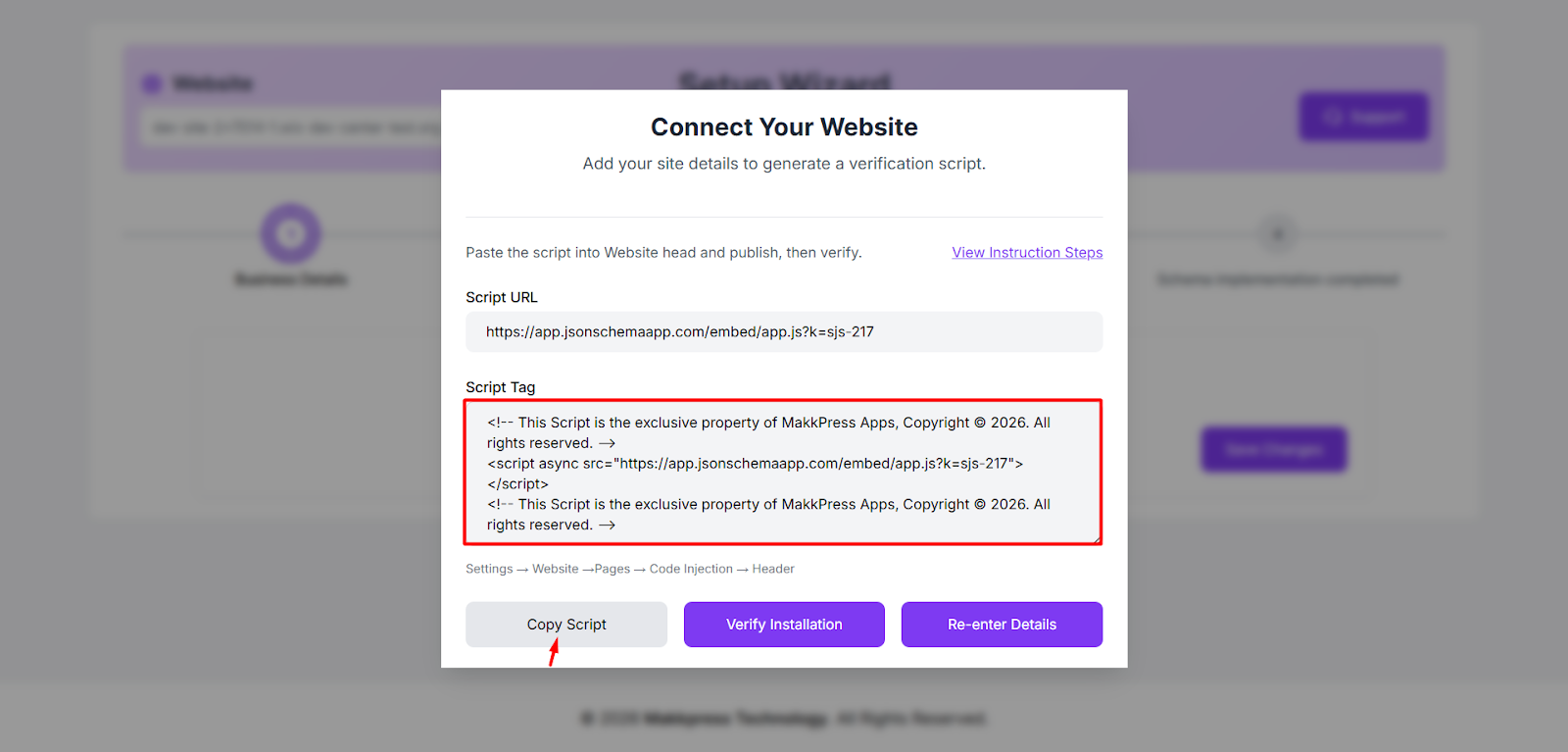
Step 5: Copy the script tag and add it to your Wix website header by following the “View Instruction Steps.” After adding the script, click “Verify Installation.”
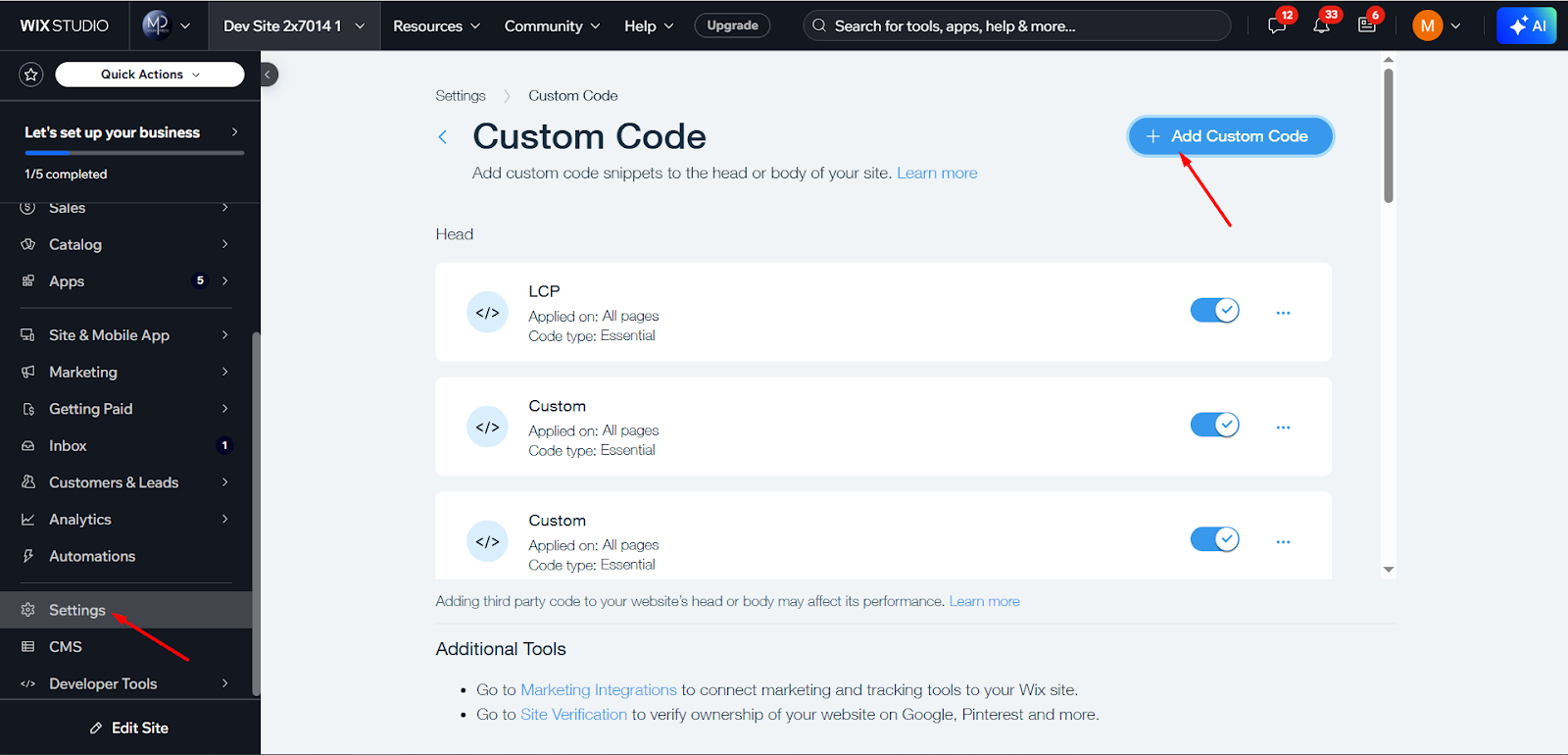
Step 6: Go to Settings → Custom Code in your Wix dashboard, then click “Add Custom Code”.
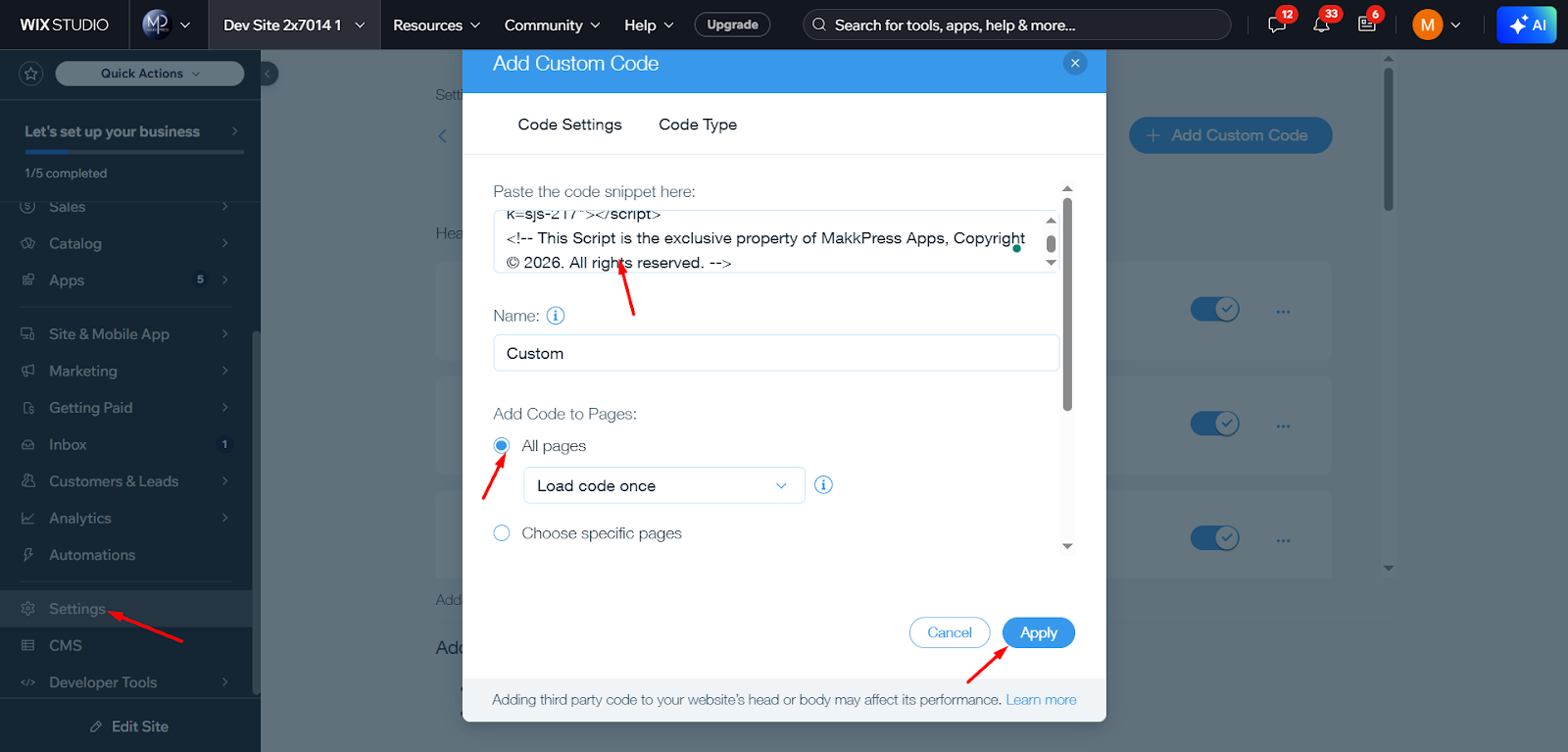
Step 7: Paste the copied script code into the code box. Select All Pages, keep Load code once, and click “Apply.” Then return to the tool and click “Verify Installation” as shown in Step 5.
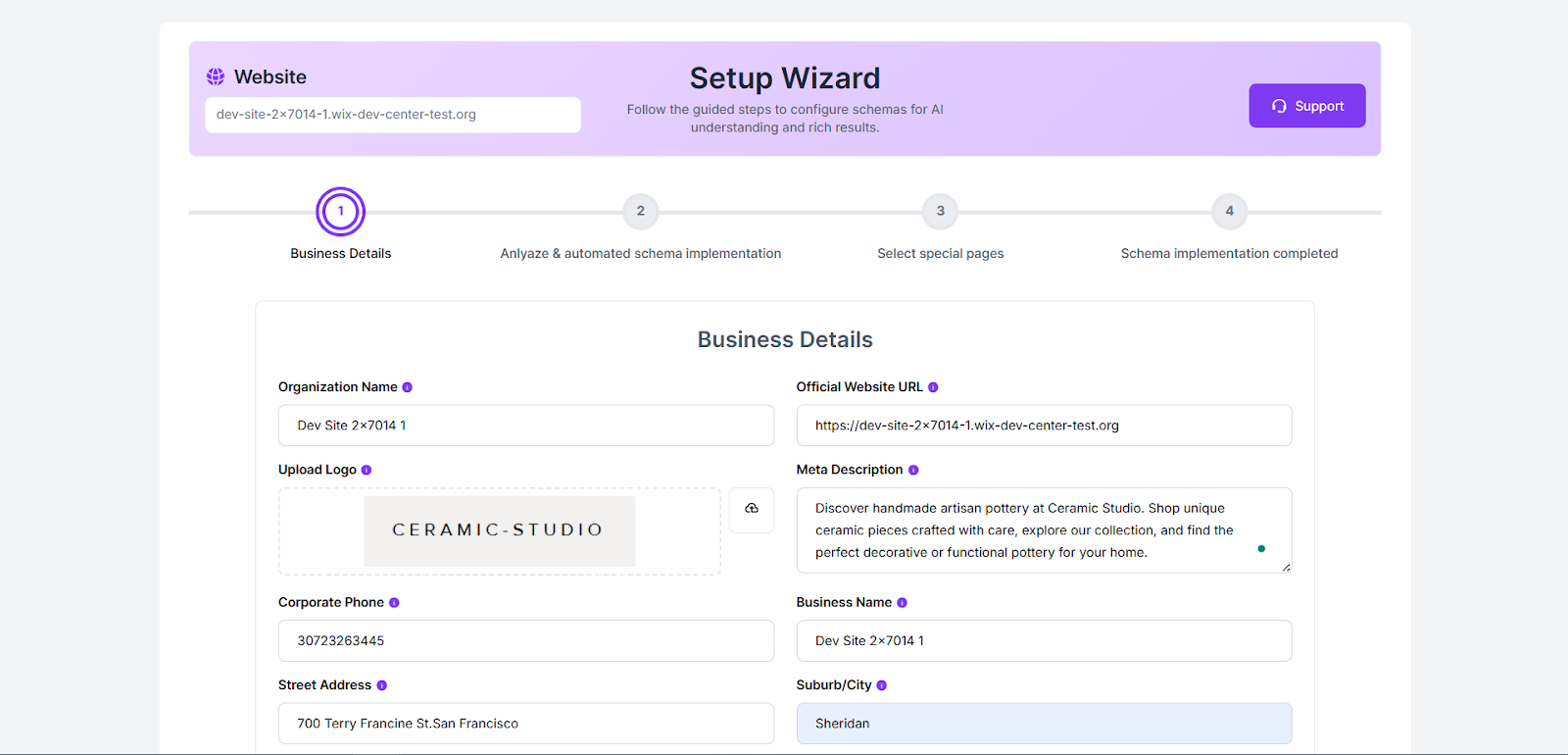
Step 8: Enter your business details such as Organization Name, Website URL, Logo, Meta Description, Phone Number, and Address. After filling in the required information, click on Save changes.
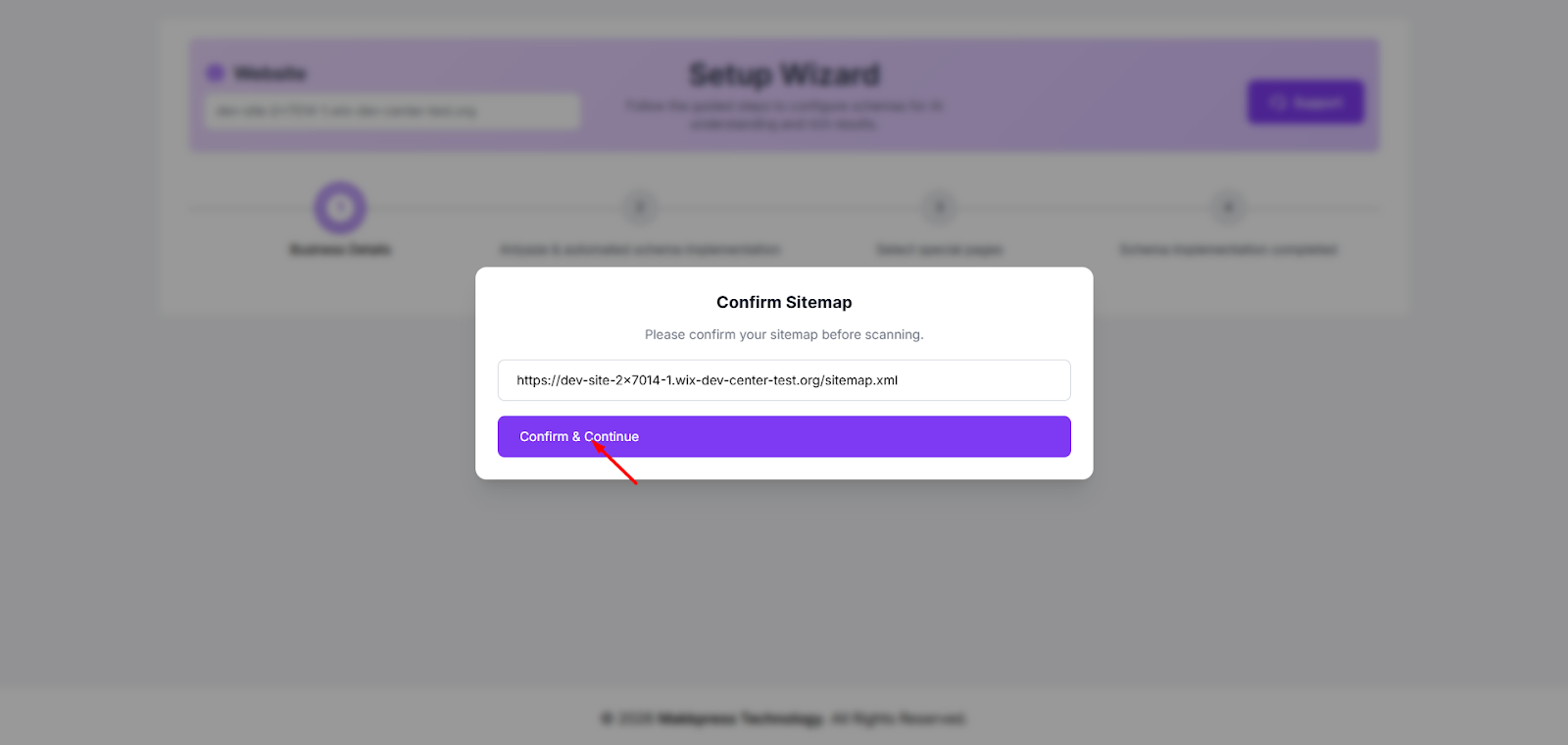
Step 9: Confirm your website sitemap URL to allow the tool to scan your pages. After confirming the URL, click “Confirm & Continue.”
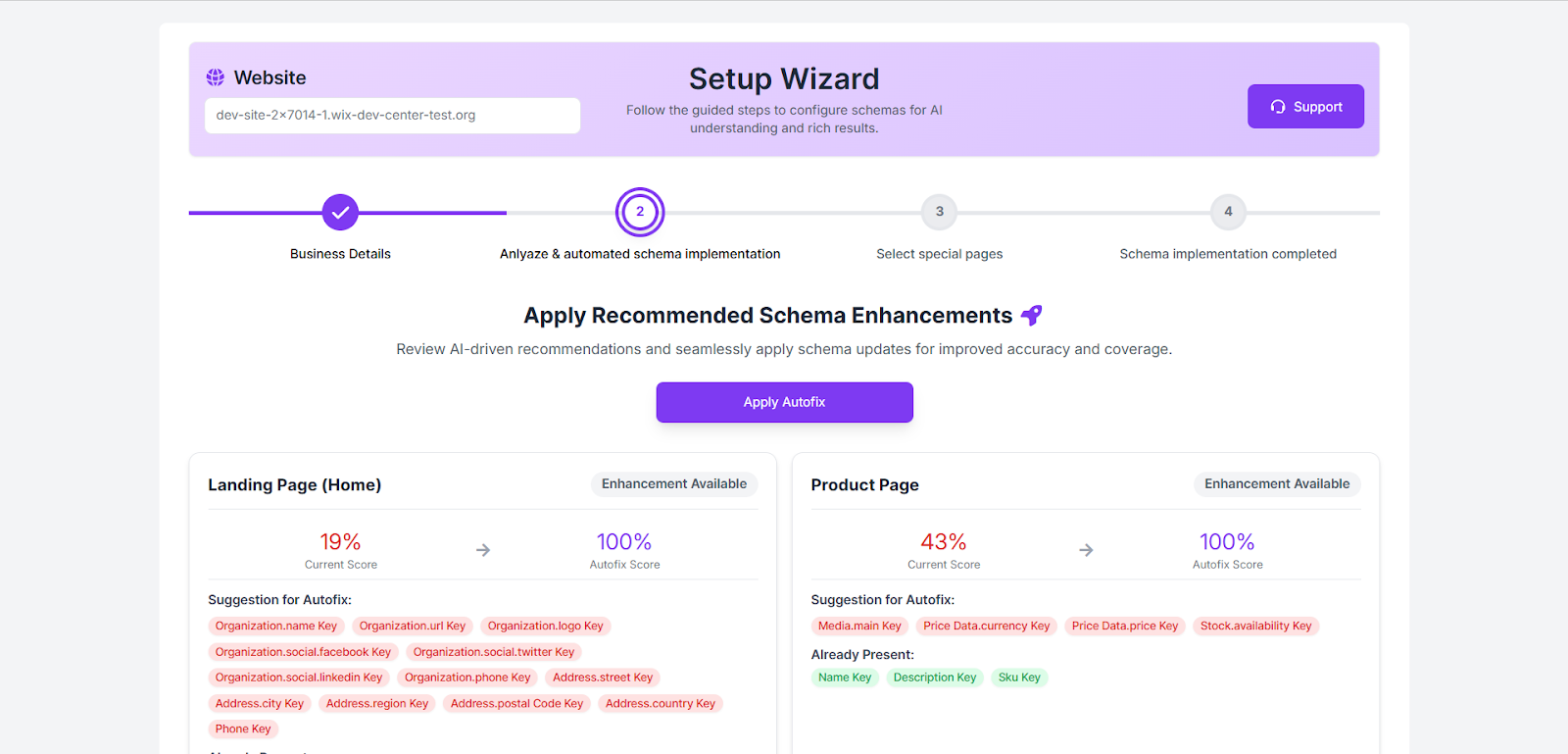
Step 10: The tool will analyze your website and show schema improvements with the current and optimized scores. Click “Apply Autofix” to automatically apply the recommended schema enhancements.
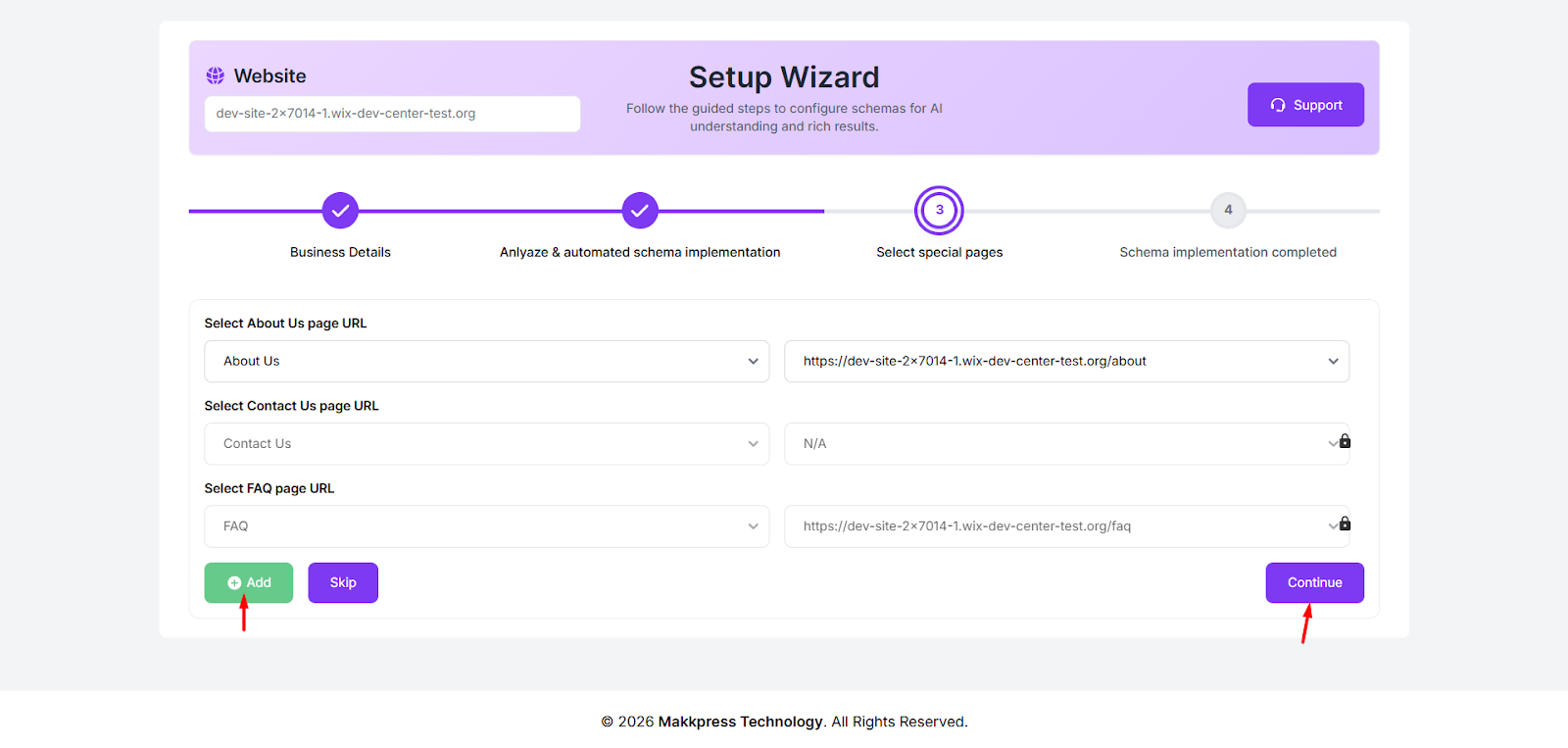
Step 11: Select the URLs for important pages such as About Us, Contact Us, and FAQ from the dropdown menus. If needed, you can add more pages by clicking Add. Once selected, click “Continue” to proceed to the final step.
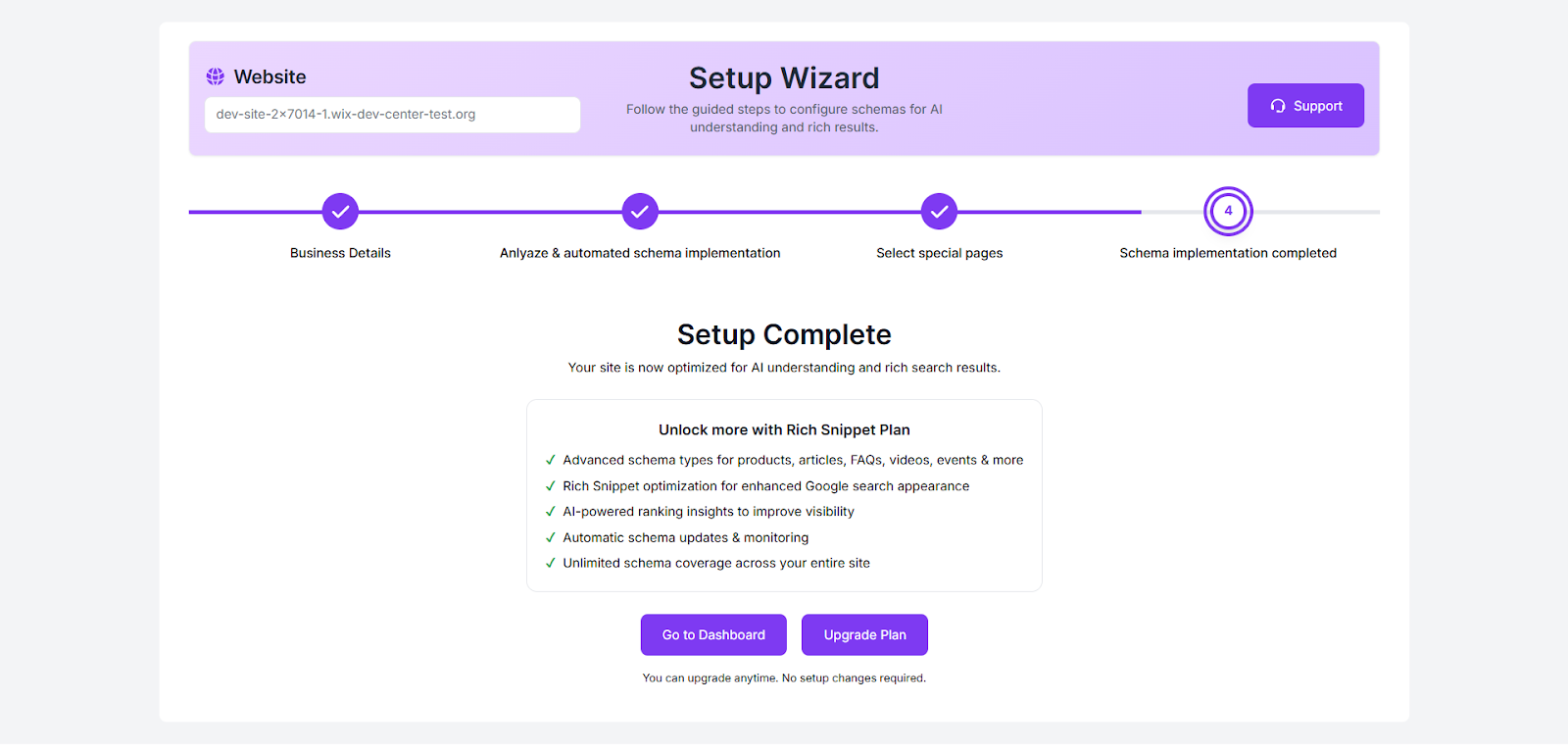
Step 12: Your schema setup is now complete. Click “Go to Dashboard” to manage your schema settings, or click “Upgrade Plan” to unlock advanced schema features and rich snippet optimization.
Found this helpful?
( 2 out of 4 found helpful )
